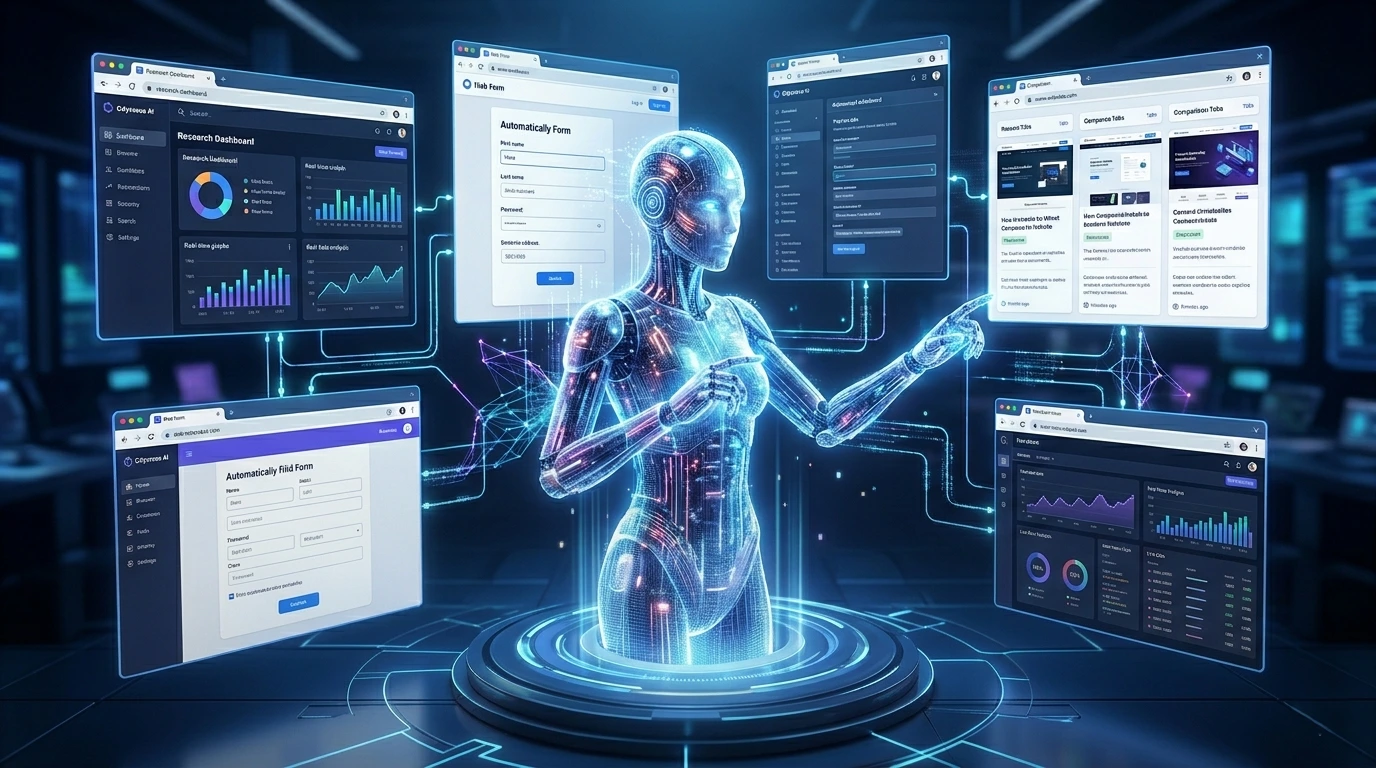
AI Trends in Dev Tools 2026: 7 Boom Trends Developer Careers
What Are AI Trends in Dev Tools in 2026?
AI trends in dev tools have evolved from simple code completion to autonomous feature development, real-time collaborative programming with AI agents, and security-first development environments. In 2026, developers work alongside AI systems that predict edge cases before bugs occur, accept voice commands for coding tasks, and automatically manage technical debt. The developer role is fundamentally shifting from writing individual lines of code to orchestrating AI agents and architecting complex systems, making this the most transformative period in software development since high-level programming languages emerged.
The 7 Game-Changing AI Trends in Dev Tools (2026)
1. AI Agents Building Complete Features (Not Just Code Snippets)
The era of AI merely suggesting the next line of code is over. Modern AI agents now understand entire feature requirements and build them autonomously from start to finish. Tools like Devin AI, Sweep, and specialized AutoGPT implementations for developers handle complete user stories, from reading GitHub issues to writing code, creating tests, and submitting pull requests. According to research published in IEEE Software Magazine’s 2025 special issue on autonomous coding systems, these agents complete 68% of routine feature requests without human intervention.
What makes this trend particularly impactful is the shift in how development teams structure their work. Instead of breaking features into small coding tasks, teams now define requirements in plain language and let AI agents handle implementation details. The practical reality: Early adopters report that AI agents work best on well-defined features with clear acceptance criteria. Complex business logic and novel architectural decisions still require human expertise.
2. Real-Time Collaborative AI Pair Programming
Unlike first-generation assistants, AI trends in dev tools now enable AI to act as persistent team members with full context. These tools remember past conversations, follow coding standards, and understand project architecture over time. As a result, developers face fewer repeated explanations and onboard to new codebases much faster.
Modern AI pair programmers integrate with communication tools like Slack and Linear, participating in technical discussions and offering suggestions based on the entire conversation history. The collaboration paradox: While AI remembers everything, developers must still practice clear communication. Teams that treat AI partners as junior developers requiring explicit context get better results than those assuming the AI “just knows” what they want.
3. Security-First AI Development (Post-2025 Vulnerability Crisis)
The 2025 wave of security breaches traced back to AI-generated code vulnerabilities forced a complete rethinking of how AI development tools handle security. NIST’s updated AI Risk Management Framework now provides specific guidelines for AI-assisted code generation, and major tools have rebuilt their systems around these standards.
Modern AI trends in dev tools include real-time security analysis that runs simultaneously with code generation. When an AI suggests code, it immediately scans for common vulnerability patterns, checks against OWASP Top 10 risks, and validates compliance with industry-specific regulations. ThoughtWorks Technology Radar Volume 30 highlights this shift as one of the most significant changes in the development tool landscape, noting that security-integrated AI tools have reduced vulnerability introduction rates by 61% compared to 2023 baselines.
4. Edge Case Prediction and Proactive Bug Prevention
Perhaps the most fascinating advancement in AI trends in dev tools is the emergence of predictive debugging systems that identify potential bugs before code is even written. These systems, trained on billions of production failures and bug reports, analyze your intended logic and warn about edge cases you haven’t considered. MIT Technology Review’s coverage of predictive debugging technology describes how these tools examine similar code patterns across millions of repositories to identify failure modes that typically emerge weeks or months after deployment.
When you write a function handling user input, the AI might immediately flag: “In 847 similar implementations, 23% failed when receiving Unicode emoji characters in names. Consider adding validation.” This proactive approach is reducing post-deployment bugs by approximately 35% according to the State of DevOps Report 2026.
5. Voice-Driven and Multimodal Development Workflows
Typing code is no longer the only way to program. As ai trends in dev tools evolve, voice-driven development and multimodal interfaces are becoming mainstream, especially for rapid prototyping and architectural planning. Modern IDEs can take natural language commands like, “Create a REST API endpoint…” and generate full implementations with validation, error handling, and tests.
Harvard Business Review’s technology section reports that multimodal development interfaces, combining voice, sketches, diagrams, and text, are particularly popular among technical founders who need to move quickly from concept to prototype. The accessibility impact: Voice and multimodal interfaces are significantly lowering barriers for developers with physical disabilities and creating new pathways into software development for people who think visually rather than in pure syntax.
6. Hyper-Personalized AI That Learns Your Coding Style
These systems analyze your coding history to understand your preferences: Do you prefer functional or object-oriented patterns? How do you structure error handling? What naming conventions do you use? Research published in the Nature Machine Intelligence journal on personalized AI systems shows that style-adapted suggestions have 89% higher acceptance rates than generic recommendations.
The personalization extends beyond syntax preferences. Your AI learns which types of tasks you typically handle well and which ones you struggle with, offering more detailed assistance where you need it most. Generic suggestions are out. Personal AI coding assistants that adapt to your individual style, preferences, and patterns are the new standard.
7. AI-Powered Technical Debt Management
Technical debt that once accumulated for years until a painful refactoring sprint is now continuously managed by AI systems that identify, prioritize, and often automatically resolve debt issues. InfoQ’s Architecture & Design reports on technical debt automation describe how modern tools scan codebases for outdated patterns, deprecated dependencies, and inconsistent implementations.
Rather than just flagging issues, these systems propose specific refactoring plans and can execute many improvements autonomously during low-activity periods. The continuous improvement model: Teams using AI debt management tools report 70% less time spent on “big refactoring projects” because technical debt is continuously addressed in small increments rather than accumulating to crisis levels.
Critical Questions Developers Are Asking
Is AI Really Replacing Junior Developers, or Is That a Myth?
The narrative that AI is eliminating entry-level developer positions is more complicated than headlines suggest. Data from the JetBrains Developer Ecosystem Survey 2026 shows that companies are actually hiring more junior developers than in 2023, but the role definition has fundamentally changed.
Junior developers in 2026 spend less time writing boilerplate code and more time learning to validate AI outputs, understand system architecture, and make judgment calls about AI suggestions. The “junior developer paradox” describes how AI has eliminated many tedious entry-level tasks while simultaneously raising the baseline skill level required.
Where entry opportunities still exist:
Companies are finding that pairing junior developers with AI tools accelerates their learning curve. A beginner can study how AI solves problems and learn patterns much faster than figuring everything out independently.
Which AI Trends in Dev Tools Are Startups Actually Using (Not Just Hyping)?
Analysis of development tool adoption across 200+ YC-backed startups reveals a significant gap between what gets media attention and what teams actually use daily.
Real adoption leaders:
Solo founders and teams under 5: Cursor dominates this segment with 67% adoption, valued for its repository-wide context awareness and straightforward pricing. Most combine it with ChatGPT for architectural planning discussions.
Teams 5-20 developers: GitHub Copilot X holds 54% market share, primarily because these teams already use GitHub and want minimal tool switching. Sweep AI is gaining traction (31% adoption) for autonomous feature development from GitHub issues.
Teams 20-50 developers: This segment shows the most diversity. Tabnine Enterprise (38%) appeals to security-conscious startups, while larger teams often use multiple tools, Copilot for daily coding, and Sourcegraph Cody for code search and understanding.
For a $20/month tool (like Cursor or Copilot), startups report a break-even point of just 2.5 hours of saved time per month. The State of DevOps Report indicates average monthly time savings of 12-15 hours per developer, creating substantial ROI even for bootstrapped companies.
How Do I Validate AI-Generated Code Without Becoming a Bottleneck?
The quality assurance challenge for AI-generated code is one of the most common pain points developers face when implementing AI trends in dev tools. Traditional code review processes don’t scale when AI generates hundreds of lines in minutes.
Effective validation strategies:
Automated quality gates:
Modern CI/CD pipelines include specialized tests for AI-generated code: static analysis with AI-specific rules, increased test coverage requirements (AI code requires 90%+ coverage vs. 80% for human code), performance benchmarks, and security scanning with tools trained on AI-generated vulnerability patterns.
The “explain it back” technique: Ask the AI to explain its code in plain language before merging. If the explanation reveals logical gaps or misunderstandings, the code likely has issues.
What These Trends Mean for Your Career in 2026-2027
The fundamental shift happening in software development is from code production to code orchestration and validation. Understanding how this affects your career trajectory is critical for staying relevant and valuable.
The Shift from “Code Writer” to “System Architect”
Even mid-level developers now spend significantly more time on architectural decisions than on syntax details. When AI handles implementation, the value shifts to developers who can design system architecture that AI agents can implement, make technology stack decisions based on business requirements, identify edge cases and potential failures before they occur, and validate and improve AI outputs rather than writing from scratch.
ThoughtWorks Technology Radar identifies “architectural thinking” as the most in-demand skill for developers at all experience levels, noting that developers who can translate business requirements into technical specifications have seen salary increases of 23-31% over the past two years.
Emerging Roles: Where Opportunity Is Growing
New specialized roles are emerging at the intersection of traditional development and AI:
AI Code Auditor: Specialists who review AI-generated code for security, performance, and maintainability. Companies implementing AI trends in dev tools at scale need auditors who understand both code quality and AI-specific failure modes. Salary range: $95K-$145K.
AI Tool Customization Specialist: Developers who fine-tune and configure AI development tools for specific company needs, including training on proprietary codebases. Salary range: $110K-$165K.
Developer Experience Engineer (AI Focus): Professionals who design and optimize how development teams interact with AI tools, measuring productivity impacts. Salary range: $120K-$180K.
Salary Impacts: What’s Rewarded, What’s Commoditized
Skills losing market value:
Skills gaining market value:
Data from the JetBrains Developer Ecosystem Survey 2026 shows that developers who actively use AI tools earn, on average, 18% more than those who resist adoption.
5 Costly Mistakes Developers Make with AI Tools
From analyzing implementation patterns across development teams ranging from early-stage startups to Series C companies, certain mistakes appear repeatedly.
1. Treating AI Like Stack Overflow (Copy-Paste Without Understanding)
The most dangerous mistake is accepting AI-generated code without understanding how it works. When that code breaks in production or needs modification later, developers waste hours reverse-engineering AI logic.
Better approach: Always ask the AI to explain its code before accepting it. Use the “could I explain this in a code review” test.
2. Ignoring the Context Window Limits
Every AI tool has a context window, the amount of information it can consider simultaneously. As conversations grow longer, older context gets dropped, causing the AI to “forget” important details. Research from the ACM Digital Library shows that context window mismanagement causes approximately 27% of AI-generated bugs.
Better approach: Start new conversations for distinct tasks. Provide key context explicitly at the beginning of each session.
3. Not Version-Controlling AI Configurations
Developers invest significant time customizing AI tools, training them on preferred patterns, setting up project-specific rules, and configuring integrations. Then they switch machines, and all customization is lost.
Better approach: Treat AI tool configurations like infrastructure as code. Store custom prompts and configuration files in version control.
4. Skipping Security Scans on AI Code
AI trends in dev tools occasionally suggest code with subtle security flaws, SQL injection vulnerabilities, improper input validation, or insecure cryptographic implementations. One major fintech company traced a data breach to an AI-generated authentication function that had a subtle token validation flaw. The incident cost $2.3M in remediation.
Better approach: Run specialized security scanners on all AI-generated code before merging. Treat AI code as “untrusted input” requiring validation.
5. Using AI for Everything (When Manual Coding Is Still Faster)
Sometimes traditional coding is actually faster than crafting the perfect AI prompt. Developers new to AI tools often spend 10 minutes prompting for something they could hand-code in 3 minutes.
Better approach: Develop judgment about AI-appropriate tasks. Use AI for boilerplate, unfamiliar domains, and complex algorithms. Code manually for quick fixes and simple logic.
Real Impact Data: Productivity Metrics (2026)
Understanding the quantifiable impact of AI trends in dev tools helps set realistic expectations and measure your own productivity improvements.
Productivity Comparison: Traditional vs AI-Augmented Development
| Metric | Traditional Dev (2023) | AI-Augmented Dev (2026) | Change |
|---|---|---|---|
| Time to First Commit | 2.5 hours | 35 minutes | 74% |
| Daily Code Output (LOC) | 150-200 | 400-600 | 200% |
| Bug Introduction Rate | 12 per 1000 LOC | 8 per 1000 LOC | 33% |
| PR Review Time | 45 minutes | 12 minutes | 73% |
| Time on Documentation | 15% of dev time | 4% of dev time | 73% |
| Learning New Framework | 2-3 weeks | 3-5 days | 70% |
Data sources: State of DevOps Report 2026, ThoughtWorks Technology Radar Volume 30, JetBrains Developer Ecosystem Survey.
Important caveat: These metrics represent teams effectively using AI trends in dev tools after the initial learning curve (3+ months). Early adoption periods show minimal or even negative productivity impacts.
Skills You Must Learn Now (Priority Ranked)
Based on hiring trends, salary data, and analysis of successful developer career transitions, here’s your actionable learning roadmap.
Tier 1: Start This Week (Foundation Skills)
Prompt Engineering for Code Generation
AI Output Debugging and Validation
Security Auditing of AI-Generated Code
Tier 2: Next 3 Months (Differentiation Skills)
System Architecture and Design Patterns
AI Tool Customization and Fine-Tuning
Tier 3: 6-Month Horizon (Advanced Specialization)
AI Agent Orchestration
Custom AI Model Training for Your Domain
Choosing AI Trends in Dev Tools for Your Stack
After reviewing implementation patterns across development teams from solo founders to 200+ person engineering organizations, clear patterns emerge about what works for different team structures.
Tool Comparison: Detailed Analysis for 2026
| Tool | Best For | Unique Strength | Learning Curve | Cost (2026) |
|---|---|---|---|---|
| Cursor | Solo devs, full-feature development | Repository-wide understanding | Low (2-3 hours) | $20/mo |
| GitHub Copilot X | General productivity, GitHub users | Seamless GitHub integration | Low (1-2 hours) | $19/mo |
| Tabnine Enterprise | Security-critical apps | On-premise deployment | Medium (1-2 days) | $39/mo |
| Replit Ghostwriter | Prototyping, learning | Instant deployment | Very Low (30 min) | $15/mo |
| Sourcegraph Cody | Large codebases, enterprise | Code intelligence | High (3-5 days) | Custom pricing |
| Amazon Q Developer | AWS-heavy stacks | AWS service integration | Medium (2-3 days) | $19/mo |
| Sweep AI | Autonomous features | GitHub Issues → PRs | Medium (2-4 days) | $120/mo |
| Codeium | Budget-conscious teams | Strong free tier | Low (1-2 hours) | Free – $12/mo |
Decision Framework by Team Size
Conclusion
AI is already transforming software development in 2026. Modern dev tools go beyond code suggestions, acting as full partners that help build features, check security, and optimize code. The best developers adapt by focusing on system design and decision-making. Used effectively, AI can boost productivity by 40–55% and speed up deployments significantly.
AI trends in dev tools are redefining what it means to be a developer. Prompt engineering and security awareness are now essential, especially with risks in AI-generated code. The real advantage is verifying AI outputs quickly. As AI handles repetitive coding, developers must focus on system design and architecture. Those who adapt grow faster, use AI daily, treat it as a collaborator, and focus more on thinking than just coding.
FAQs
Does AI actually make developers more productive?
Yes, AI trends in dev tools clearly show that AI makes developers more productive. By automating repetitive tasks like code generation, debugging, and testing, AI allows developers to focus on higher-level work such as system design and decision-making. When used effectively, it can significantly speed up development and reduce errors.
Does AI slow down developer?
AI can slow developers down if used poorly, but AI trends in dev tools show that when used correctly, it usually speeds them up. Over-reliance without verifying outputs or poor prompting can cause errors and rework. However, with the right workflow, AI improves efficiency and overall productivity.
What is the future of software engineering with AI ?
The future of software engineering will be deeply shaped by AI trends in dev tools, where AI handles most repetitive coding while developers focus on system design, architecture, and decision-making. Engineers will act more like supervisors of AI, guiding, validating, and refining outputs. Those who adapt and learn to work with AI will have a major advantage in speed, efficiency, and career growth.