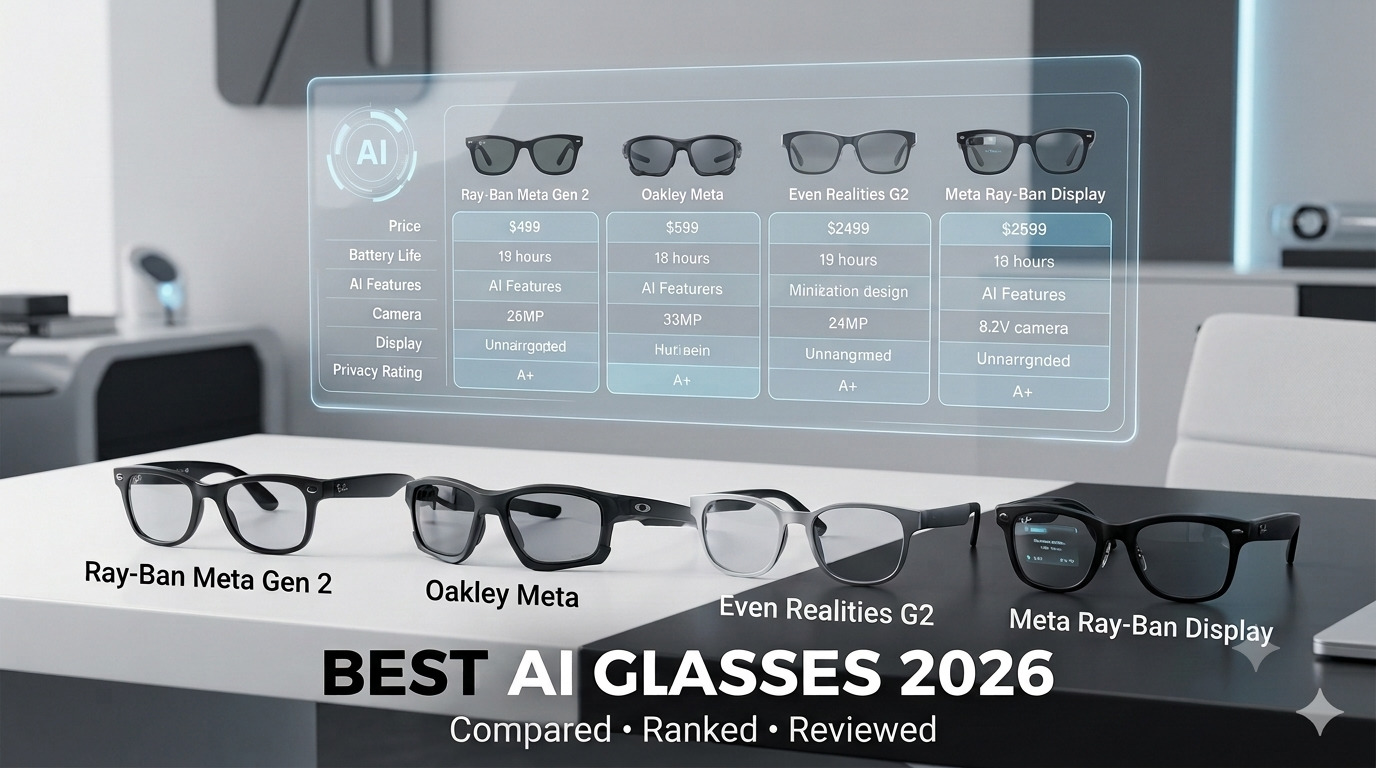
Best AI Glasses 2026: A Neutral Buyer’s Guide (Compared & Ranked)
AI glasses stopped being a novelty in 2026. Meta says its Ray-Ban line is now the best-selling AI eyewear in the world, with millions of pairs sold, while Google, Samsung, Even Realities, and a wave of budget brands are all pushing into the category. That is good news for buyers — but it also means louder marketing, wider price gaps, and real privacy questions that a brand’s own store page will never raise.
At aiera.blog, we track how AI is moving off the screen and into the devices you actually wear. This guide cuts through the noise: what AI glasses really are, which models are worth buying for different needs and budgets, what they cost right now, and the honest trade-offs around privacy that most “best of” lists quietly skip.
What Are AI Glasses? The Short Answer
AI glasses are eyeglasses with a built-in AI assistant, microphones, and usually either a camera or a small display. Instead of reaching for your phone, you speak to the glasses — “what am I looking at,” “translate this menu,” “text my wife I’m running late” — and the answer comes back through open-ear speakers or appears directly in your line of sight.
Put simply: regular glasses help you see the world. AI glasses help you act on it, hands-free.
AI Glasses vs Smart Glasses: What’s the Difference?
The two terms overlap, but the distinction matters when you shop. Older smart glasses were mostly Bluetooth speakers or cameras in a frame. AI glasses add a genuine assistant — contextual answers, live translation, and on some models a heads-up display. The real difference is whether the glasses can understand and respond, not just record audio or capture video.
The 2026 Landscape: Three Types, Not One
Most online confusion comes from lumping very different products under a single label. In 2026, “AI glasses” really splits into three categories:
- Audio AI glasses — a camera plus open-ear speakers, with no display. You hear answers; you don’t see them. This is the mainstream choice (Ray-Ban Meta Gen 2, Oakley Meta).
- Display AI glasses — a small heads-up display (HUD) projects glanceable text and graphics into your view. Pricier and more capable (Meta Ray-Ban Display, Even Realities G2).
- AR/XR glasses — large virtual screens for gaming or spatial computing, usually tethered to a phone, PC, or console. Powerful, but a different product for a different buyer.
Almost everyone shopping for “AI glasses” wants category one or two, so that is where this guide focuses.
How Do AI Glasses Work?
Under the hood, a pair of AI glasses combines a few miniaturized parts working together:
- Microphones capture your voice commands and, on translation-capable models, the speech around you.
- A camera (on most audio models) lets the AI “see” — identify a landmark, read a sign, or capture photos and video. Privacy-first models deliberately leave this out.
- Open-ear speakers deliver audio without blocking ambient sound, so you still hear the world around you.
- A display (on HUD models) uses tiny micro-LED projectors and waveguides to float text in front of one eye — invisible to people nearby.
- An AI engine does the thinking. Light tasks may run on-device; heavier work happens in the cloud through your paired phone.
- A battery and charging case, since all-day power remains the hardest problem in the whole category.
The practical takeaway: battery life, whether there is a camera, and whether there is a display are the three decisions that shape everything else, including price. If you want to understand the silicon trend behind these devices, our breakdown of the latest trends in AI hardware gives useful background.
Best AI Glasses 2026 (Ranked)
1. Best Overall — Ray-Ban Meta (Gen 2), from $379
The Gen 2 is the sensible pick for most buyers. According to Meta’s own announcement, the Gen 2 roughly doubles the battery of the original (up to about eight hours of mixed use, with a charging case that adds dozens more) and upgrades video capture to 3K Ultra HD through a 12MP ultra-wide camera. It keeps the open-ear audio and the Meta AI assistant that made the line popular, and live translation now spans several languages with offline packs you can pre-download before a flight or a trip abroad.
Crucially, these still look like ordinary Ray-Bans. There is no display; you talk and you listen. For most people who simply want a hands-free camera and a competent assistant in frames they are happy to wear in public, this is the one to buy.
Best for: everyday wear, content capture, travelers. Skip if: you want information shown in-lens.
2. Best for Sport — Oakley Meta
Meta’s Oakley line targets active use, with a more wraparound, durable build and the athletic Oakley Meta Vanguard added in late 2025. You get the same core Meta AI, camera, and open-ear audio as the Ray-Ban range, but tuned for running, cycling, and the gym rather than the office. If your main use is workouts and the outdoors, these earn their place over the Ray-Bans.
Best for: athletes and outdoor use. Skip if: you want a dressier everyday look.
3. Best Display + Privacy — Even Realities G2, $599
The G2 is the quiet challenger, and it makes a sharp, deliberate trade. There is no camera and no speaker. Instead, a green micro-LED display floats information in front of one eye — translation, teleprompter-style notes, navigation, and meeting prompts — visible only to you. Its standout feature, Conversate, listens to a live conversation and surfaces relevant context in-lens without being asked.
It is also the most wearable option here: titanium temples, roughly 36 grams, IP65 water resistance, and a battery the company rates at around two days of typical use. Control is hands-free by voice (“Hey Even”) or through the optional Even R1 smart ring, and the companion app and AI features are free, with no subscription. The glasses are prescription-compatible and often FSA/HSA-eligible. You can see the full feature set on the official Even Realities site.
The no-camera design is the entire point: it is built for meetings, clinical settings, and negotiations where a camera on your face is a liability rather than a feature.
Best for: professionals, privacy-conscious buyers, anyone who wants a display without a camera. Skip if: you specifically want to capture photos and video.
4. Best Full Display Experience — Meta Ray-Ban Display, $799
The most ambitious mainstream option. The Display is the first full-color waveguide HUD tucked inside a Ray-Ban frame, and the $799 price includes the Meta Neural Band — a wristband that reads subtle finger movements so you can control the interface without tapping your temple or talking out loud. Meta sensibly did not try to make it a full AR headset; it is a glanceable display for messages, navigation, and AI responses.
It is the priciest pick here and the most early-adopter, but if seeing AI output in full color in-lens is the dream, this is its clearest expression in 2026.
Best for: tech enthusiasts who want a real color HUD. Skip if: $799 and first-generation quirks are not for you.
5. Best Budget Option — Generic Amazon AI Glasses, roughly $50–$150
There is a large tier of inexpensive “AI smart glasses” on Amazon with cameras (often 8MP or 2K), Bluetooth calling, voice control, and translation claims. Some are genuinely fun for the money; many overpromise on the “AI” part and underdeliver on build quality, app support, and privacy. Read the ratings skeptically and assume the assistant is far simpler than Meta’s or Even’s.
Best for: curious buyers on a tight budget. Skip if: you care about software longevity, support, or polish.
AI Glasses Comparison Table (2026)
| Model | Price (from) | Display | Camera | Battery (rated) | Best for |
|---|---|---|---|---|---|
| Ray-Ban Meta (Gen 2) | $379 | No | Yes (12MP, 3K video) | ~8 hrs + case | Everyday, capture |
| Ray-Ban Meta Optics | $499 | No | Yes | ~8 hrs + case | Prescription wearers |
| Oakley Meta | Tiered | No | Yes | All-day + case | Sport, outdoors |
| Even Realities G2 | $599 | Yes (mono green HUD) | No | ~2 days | Privacy, professionals |
| Meta Ray-Ban Display | $799 | Yes (full-color HUD) | Yes | All-day + case | HUD enthusiasts |
| Budget (Amazon) | ~$50–$150 | Usually no | Yes | Varies | Tight budgets |
Prices and specs verified June 2026. Confirm current pricing before you buy, as the category changes quickly.
Key Features to Look For
Display vs Audio-Only
This is the first fork in the road. Audio-only glasses are lighter, cheaper, and more discreet, but every answer arrives through your ears — fine for “what’s the weather,” awkward for “show me directions.” Display glasses let you glance at information silently, which is genuinely better for navigation, translation, and notifications, but they cost more and add weight. Decide which mode fits your daily life before you compare brands.
Real-Time Translation
Translation is the feature most buyers fall for. Meta’s glasses handle live spoken translation across a growing set of languages with offline packs, while the Even Realities G2 does in-lens text translation across far more languages. If you travel or work across languages, weight this heavily — and test your specific language pair, because accuracy varies widely from one pairing to another.
Prescription and Lens Options
Most major AI glasses now support prescription lenses. Meta launched dedicated prescription-forward Ray-Ban styles in 2026 that cover nearly all prescriptions, a move reported by TechCrunch, and the Even G2 is prescription-compatible. Two money tips: prescription lenses add cost, and some AI glasses qualify for FSA/HSA spending, which softens the blow. Confirm your prescription range is supported before ordering.
Pricing: What AI Glasses Cost in 2026
The honest range runs from about $50 to $800. Budget Amazon models start under $100 but cut corners on software and support. The mainstream sweet spot is $299–$599: the Ray-Ban Meta Gen 1 at $299, the Gen 2 at $379, prescription Meta styles from $499, and the Even Realities G2 at $599. Display flagships top out around $799 with the Meta Ray-Ban Display. Add prescription lenses, a protection plan, or a control accessory such as Even’s ring, and the real out-the-door number climbs.
A simple value rule: pay for the capability you will use every day. An $799 color HUD is poor value if all you want is a hands-free camera, and a $90 budget pair is poor value if you will actually rely on the assistant.
Privacy and Social Acceptance: The Honest Part
This is the section brand stores skip, and it is the most important one. AI glasses with cameras raise real concerns, and 2026 has made several of them concrete.
The recording indicator — the small LED meant to signal when a camera is active — has been a flashpoint. Reporting summarized in Wikipedia’s overview of Ray-Ban Meta notes that a cheap modification can disable that light, defeating the one cue bystanders have, and that the BBC documented people using camera glasses to covertly film strangers. On facial recognition, the same record cites reporting that Meta moved to add face recognition to the glasses in 2026 — after an earlier Harvard student demo showed off-the-shelf tools pulling names and addresses from a stranger’s face.
Regulators have noticed. In the EU, Ireland’s Data Protection Commission and Italian authorities have questioned the glasses for years, privacy advocates have challenged Meta over using regional data for AI training, and the EU AI Act’s biometric rules have delayed or restricted some features in Europe.
What this means for you in practice:
- If you buy a camera model, be the person who tells people when they are on camera, point the frames down in private spaces, and learn the recording cues.
- If privacy is a dealbreaker, the camera-free Even Realities G2 exists precisely for this reason — it is the cleanest answer to “I want AI help without a camera on my face.”
- Social acceptance is still evolving. A decade after the original “Glasshole” backlash, some discomfort persists. Reading the room is part of owning these.
Pros and Cons of AI Glasses
Pros
- Hands-free help: capture, calls, directions, and answers without your phone.
- Live translation that genuinely lowers language barriers.
- Open-ear audio keeps you connected to your surroundings.
- The best frames now look like normal eyewear.
Cons
- Battery still limits heavy use, especially translation and video.
- Camera models carry real privacy and social baggage.
- Display models add cost and weight.
- The category changes fast — today’s flagship is next year’s mid-tier.
Are AI Glasses Worth It in 2026?
For most people, yes — if you pick for your actual use. A frequent traveler or content creator gets daily value from a Ray-Ban Meta Gen 2. A privacy-conscious professional gets a genuinely useful, camera-free assistant in the Even Realities G2. A gadget enthusiast who wants a color HUD has the Meta Ray-Ban Display. The buyers who regret the purchase are the ones who pay flagship prices for features they never touch, so match the tier to the habit, not the hype. If your goal is squeezing more hands-free productivity out of AI, our guide to AI basics for productivity pairs well with a good set of glasses.
The Future of AI Glasses
The clearest signal in 2026 is splintering. Just as smartwatches did, glasses are dividing into a daily-wear audio pair and a pull-out display pair for specific tasks — and the industry is leaning into eyewear credibility over raw specs. Google and Samsung have previewed Android XR glasses co-designed with established eyewear brands, leading with audio frames first and display models later. The bottleneck now is adoption and trust, not capability. Expect the next wave to push “ambient AI” — help that surfaces the moment you need it, without you asking — alongside louder fights over privacy and regulation. We explore where this is heading in our look at the generative AI trends shaping 2026.
Frequently Asked Questions
What Are AI Glasses?
AI glasses are eyeglasses with a built-in AI assistant, microphones, and usually a camera or display. They let you get hands-free help — answers, translation, navigation, photos — without reaching for your phone.
How Do AI Glasses Work?
Microphones capture your voice, an AI engine (mostly cloud-based via your paired phone) processes the request, and you get a response through open-ear speakers or an in-lens display. Camera models can also “see” your surroundings to identify or capture things.
What’s the Difference Between AI Glasses and Smart Glasses?
Smart glasses were mostly audio or camera frames. AI glasses add an assistant that understands and responds, plus features like live translation and, on some models, a heads-up display.
What Are the Best AI Glasses in 2026?
The Ray-Ban Meta Gen 2 is best for most people, the Even Realities G2 is best for a camera-free display, and the Meta Ray-Ban Display is best for a full-color HUD.
How Much Do AI Glasses Cost?
Roughly $50 to $800. The mainstream sweet spot is $299–$599, while display flagships reach about $799.
Do AI Glasses Have a Screen or Display?
Some do. Audio models such as the Ray-Ban Meta and Oakley Meta do not, while display models like the Even Realities G2 and Meta Ray-Ban Display project glanceable information into your view.
Are There AI Glasses Without a Camera?
Yes. The Even Realities G2 is the leading camera-free option, designed specifically with privacy in mind.
Do AI Glasses Record Everything?
No. Camera models record only when you trigger them, typically with an LED indicator. The concern is that the cue can be hard to notice or can be defeated, which is why recording etiquette matters.
Can AI Glasses Translate Languages in Real Time?
Yes. Meta’s glasses do live spoken translation, and the Even G2 does in-lens text translation across many languages. Accuracy varies by language pair, so test your own.
Can I Get AI Glasses With Prescription Lenses?
Most major models support prescriptions, and some qualify for FSA/HSA spending. Confirm your prescription range before ordering.
How Long Does the Battery Last?
Audio models like the Ray-Ban Meta Gen 2 last up to about eight hours of mixed use plus a charging case, while the Even Realities G2 is rated for roughly two days.
Are AI Glasses Worth Buying?
Yes, if you choose for your real habits. They are poor value if you pay for features you will not use.
Are AI Glasses Safe for Privacy?
Camera models carry genuine privacy concerns, including facial-recognition capabilities and recording-indicator weaknesses. Camera-free options like the Even G2 sidestep most of this.
Do AI Glasses Work Without a Phone?
They need a paired phone for most AI features, though some functions and pre-downloaded translation packs work offline.
Which AI Glasses Are Best for Translation?
Travelers who want spoken translation lean toward Ray-Ban Meta, while those who prefer silent, in-lens text translation across many languages lean toward the Even Realities G2.
Expert Insight from aiera.blog: Our Take on AI Glasses
We have watched the wearable AI space closely, and our honest read is that 2026 is the first year AI glasses are worth recommending to ordinary buyers rather than just enthusiasts. The reason is simple: the frames finally look normal, and the assistant is finally useful. For most readers, that combination tips the value equation.
The smartest decision the industry made this year was restraint. Meta could have crammed a giant screen onto your face; instead the mainstream Ray-Ban line stays camera-and-audio, and even the Display offloads control to a wristband. Even Realities went the other way and removed the camera entirely. Both choices respect a truth the first generation of face computers ignored: people have to be comfortable wearing these in public, and the people around them have to be comfortable too.
Our recommendation is to buy deliberately. If you want one pair for daily life, the Ray-Ban Meta Gen 2 is the safe call. If you handle sensitive conversations, the camera-free Even Realities G2 is the more responsible tool. And if you are the person who always wants the newest thing, the Meta Ray-Ban Display is the most interesting hardware of the year. Whatever you pick, treat the privacy of the people around you as part of the cost of ownership — that, more than any spec, is what separates a good owner from a careless one.
Key Takeaways
- AI glasses split into three types in 2026: audio (camera + speakers), display (HUD), and AR/XR. Most buyers want audio or display.
- The Ray-Ban Meta Gen 2 ($379) is the best all-around pick; the Even Realities G2 ($599) is best for a private, camera-free display; the Meta Ray-Ban Display ($799) is best for a full-color HUD.
- Prices span roughly $50 to $800, with the mainstream sweet spot at $299–$599. Pay for the capability you will use daily.
- Camera models raise real privacy concerns, including facial recognition and recording-indicator weaknesses; camera-free designs avoid most of them.
- The category is splintering fast toward “ambient AI,” so buy for how you live now rather than waiting for a single device that does everything.