Chalkie AI: Features, Pricing, Free Plan, Pros & Cons in 2026
Chalkie AI is an AI-powered teaching tool designed to help educators create lesson slides, worksheets, classroom activities, lesson series, and other learning resources faster.
Instead of starting every lesson from a blank page, teachers can enter a topic, year level, and important requirements. Chalkie then creates editable teaching materials that can be adapted before they are used in the classroom.
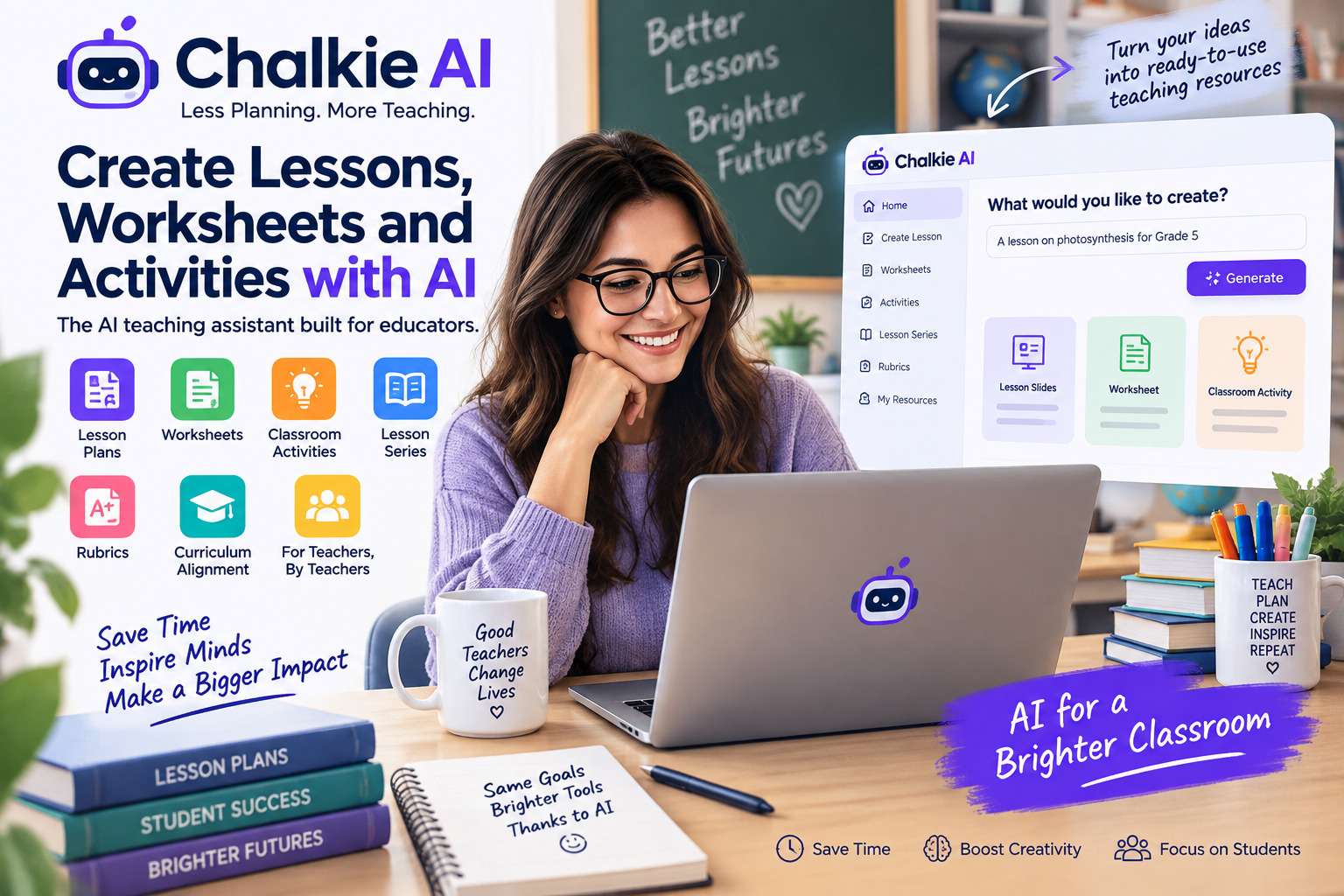
The platform is particularly focused on teachers rather than being a general-purpose AI chatbot. Chalkie’s current tools include an AI lesson planner, worksheet generator, classroom activity generator, rubric generator, lesson-series planning, and curriculum alignment.
But an AI-generated lesson still needs a teacher’s judgment.
This guide explains what Chalkie AI does, how its free and paid plans work in 2026, its main strengths and limitations, and what teachers should check before using AI-generated classroom materials.
What Is Chalkie AI?
Chalkie AI is an online platform built around AI tools for teachers.
Its main purpose is to reduce the time teachers spend preparing lesson resources.
A teacher can provide a topic and other instructions, and Chalkie can generate materials such as:
- lesson slides
- lesson plans
- worksheets
- classroom activities
- lesson series
- assessment ideas
- rubrics
Chalkie’s official documentation says generated lessons are editable, meaning teachers are not limited to accepting the first version produced by the AI.
That distinction matters.
AI can help create a first draft quickly, but teachers still need to decide whether the content is factually correct, appropriate for their students, and suitable for the learning objective.
How Does Chalkie AI Work?
The basic Chalkie AI workflow is straightforward.
1. Choose What You Want to Create
A teacher first decides what type of resource is needed.
This might be:
- one lesson
- a worksheet
- an activity
- a sequence of lessons
- a rubric
The platform is designed around educational resources rather than open-ended conversations.
2. Enter Your Topic and Requirements
You provide details such as the subject, topic, year or grade level, and other requirements.
According to Chalkie’s FAQ, the platform can use this information to create editable lessons containing objectives, activities, required materials, and assessment ideas.
More specific instructions should usually produce a more useful starting point.
For example, instead of entering:
Photosynthesis
a teacher could specify:
Create a Grade 5 introduction to photosynthesis with simple vocabulary, a short starter activity, three learning objectives, and a five-question review.
The second instruction gives the system considerably more useful context.
3. Review the Generated Resource
The generated material should not immediately become the final lesson.
Teachers should check:
- factual accuracy
- reading level
- terminology
- examples
- learning objectives
- answer keys
- difficulty
- cultural context
- curriculum relevance
This review step is especially important when AI generates assessment questions or factual explanations.
4. Edit the Material
Chalkie provides AI editing as part of its plans.
Current plans place limits on the number of AI edits available, so teachers who frequently regenerate or revise resources should understand those limits before choosing a subscription.
5. Export or Use the Resource
The free plan currently includes export options for Google and Microsoft products.
That makes it easier for teachers to move generated resources into tools they may already use in their classroom workflow.
Main Chalkie AI Features
Chalkie provides several tools aimed at different parts of lesson preparation.
AI Lesson Planner
The AI Lesson Planner can create lesson material based on a teacher’s topic and requirements.
Chalkie says its lesson generator can produce slides, activities, key vocabulary, and other lesson components.
The company currently describes lesson creation as taking under 30 seconds, although actual generation time may depend on the request and system conditions.
The useful part is not simply speed.
A good lesson-planning tool should provide enough structure that the teacher can spend more time improving the lesson rather than building every element manually.
Lesson Series
Chalkie’s Lesson Series feature is intended for teachers planning multiple connected lessons.
Instead of generating unrelated individual lessons, it can create a sequence in which lessons build on previous material.
This could be useful when preparing:
- weekly teaching sequences
- half-term plans
- units
- topic-based courses
Paid plans currently allow longer lesson series than the free offering.
AI Worksheet Generator
Chalkie also provides an AI worksheet generator.
The official feature page says teachers can generate curriculum-aligned activity sheets with different types of questions.
Possible uses include:
- revision
- homework
- lesson starters
- independent practice
- knowledge checks
- extension activities
Teachers should still verify answers before distributing generated worksheets.
AI can confidently produce an incorrect answer, which is an oddly human trait machines have learned remarkably quickly.
AI Classroom Activities
The classroom activity generator can create activities based on a topic, age group, and curriculum.
Chalkie positions these for uses including starters, plenaries, and group work.
This could be useful when a teacher already has the main lesson but needs another activity to reinforce the topic.
AI Rubric Generator
Chalkie’s current feature list also includes an AI Rubric Generator.
Rubrics can help make assessment criteria clearer, but an AI-generated rubric should be compared with the actual learning objectives and any school or district assessment requirements before use.
Curriculum and Standards Alignment
Curriculum alignment is one of Chalkie’s more education-specific features.
Depending on the region, Chalkie says it can align resources with standards including US curriculum frameworks, UK curriculum requirements, and the Australian Curriculum.
This is useful as a planning aid, but teachers should not assume that an AI-generated standards reference is automatically correct.
Where curriculum compliance matters, check the generated resource against the official curriculum or standards documentation.
Chalkie AI Pricing in 2026
Chalkie currently offers Free, Pro, Max, and Schools options.
Pricing can change, so the official pricing page should be checked before subscribing.
As of September 2026, Chalkie’s yearly pricing page lists the following:
| Plan | Price | Resource Limit | AI Edits |
|---|---|---|---|
| Free | $0 | 5 resources every 7 days | 10/week |
| Pro | $6.65/month billed annually | 200/month | 400/month |
| Max | $12.99/month billed annually | 400/month | 800/month |
| Schools | Custom quote | Varies | Varies |
The displayed annual rates equal $79.80 per year for Pro and $155.88 per year for Max.
For current pricing before purchasing, check the official Chalkie pricing page.
Chalkie Free Plan
The free plan currently requires no card details.
It includes:
- lesson and activity creation
- Google and Microsoft export
- five resources every seven days
- ten AI edits each week
This is enough to test the main workflow before paying.
For teachers who only occasionally need generated resources, the free plan may even cover some regular use.
A teacher building new materials every day will probably reach the limit much faster.
Chalkie Pro
Chalkie Pro currently increases usage to:
- 200 resources per month
- 400 AI edits per month
- lesson series of up to 12 lessons
- lessons of up to 25 slides
It also includes curriculum and standards alignment, YouTube video features, and removal of Chalkie branding.
Chalkie Max
Max is aimed at heavier users.
It currently includes:
- 400 resources per month
- 800 AI edits per month
- lesson series of up to 25 lessons
- lessons of up to 35 slides
- custom themes
- custom fonts
Teachers should compare their actual monthly usage with these limits rather than automatically choosing the largest plan.
Chalkie for Schools
Chalkie also offers a Schools plan.
The company currently lists features including:
- linked teacher accounts
- admin controls
- tracking
- centralized billing
- custom lessons
School pricing is provided by quotation rather than as a fixed public rate.
Chalkie AI Free vs Pro vs Max
The best plan depends primarily on how often you create new resources.
Free makes the most sense if you want to test Chalkie or only generate occasional materials.
Pro is more suitable for teachers who create resources regularly and need curriculum alignment or longer lessons.
Max is aimed at teachers who generate a high volume of materials, build longer lesson series, or want more design control.
Do not upgrade simply because a plan offers a larger number.
Track how many resources you actually create in a normal teaching month first.
What Are the Advantages of Chalkie AI?
It Is Designed Specifically for Teachers
General AI chatbots can generate lesson plans, but Chalkie has tools structured around classroom tasks.
That reduces the amount of prompting a teacher may need to do.
It Can Speed Up First Drafts
Creating slides, worksheets, activities, and lesson structures manually can take considerable time.
AI can produce an initial version much faster.
That time saving is useful if the teacher spends the saved time reviewing and adapting the material rather than publishing it blindly.
The Free Plan Is Actually Usable
Five resources every seven days provides enough room to meaningfully test the product.
No payment card is currently required for the free plan.
Resources Remain Editable
Generated teaching content can be modified.
This is important because classroom material should reflect the specific students being taught, not merely the AI’s first interpretation of a prompt.
It Supports Several Types of Teaching Resources
Teachers do not need a separate AI tool for every simple planning task.
Lessons, worksheets, activities, rubrics, and lesson sequences are available within the same platform.
For a broader comparison, see Aiera’s Best AI Tools for Teachers guide.
Limitations Teachers Should Consider
Chalkie AI is a planning tool, not a replacement for teacher judgment.
AI Can Make Mistakes
Generated information can be wrong, incomplete, outdated, or inappropriate for a particular class.
Teachers should verify important claims and answers.
Curriculum Alignment Still Needs Checking
Automatic curriculum alignment can save planning time, but any requirement that affects formal compliance should be checked against the official source.
Free Usage Is Limited
Five resources each week will not be enough for every full-time teacher.
Paid Plans Still Have Limits
Pro and Max include monthly limits for resource generation and AI editing.
Heavy users should monitor their usage before committing to a plan.
Generated Material May Need Personalization
Two classes at the same year level can have very different needs.
A good teacher may need to change:
- vocabulary
- examples
- pacing
- difficulty
- accessibility
- assessment style
AI does not know a class as well as the teacher does.
Is Chalkie AI Safe for Student Data?
Chalkie’s FAQ states that the service does not require or store student data and says the platform is designed using privacy-by-design principles.
The company also states that it complies with GDPR, FERPA, and the Australian Privacy Act.
These are claims made by Chalkie itself.
Schools considering institution-wide adoption should still review the current privacy policy, data-processing terms, and their own school or district requirements before approving any education technology platform.
Is Chalkie AI Worth Using?
Chalkie AI looks most useful for teachers whose biggest problem is the time required to create classroom materials.
The free plan makes it possible to explore the core workflow without immediately buying a subscription.
Teachers who regularly need lesson slides, worksheets, activities, and connected lesson sequences may find Pro or Max more practical.
However, the value depends on one important condition:
Teachers must still review what the AI creates.
The best use of Chalkie is not to outsource teaching decisions.
It is to reduce repetitive preparation work so that teachers can spend more time adapting content for the students actually sitting in front of them.
If you are comparing Chalkie with other AI platforms, Aiera’s Best AI Tools 2026 guide provides a broader look at current AI tools.
Chalkie AI FAQs
Is Chalkie AI free?
Yes. Chalkie currently has a free plan with no card required. It allows up to five resources every seven days and ten AI edits per week.
What can Chalkie AI create?
Chalkie can currently generate lessons, lesson series, worksheets, classroom activities, and rubrics, among other teacher-focused resources.
How much does Chalkie Pro cost?
As of September 2026, the official pricing page lists Pro at $6.65 per month when billed annually, or $79.80 per year. Pricing can change.
Does Chalkie work with curriculum standards?
Yes. Chalkie advertises curriculum and standards alignment, with support varying by country and region. Teachers should still verify important curriculum references independently.
Can Chalkie replace a teacher?
No. It can help create teaching resources, but lesson quality, factual review, classroom suitability, student support, and instructional decisions still require human judgment.
Does Chalkie store student information?
Chalkie’s current FAQ says it does not collect or store student data. Schools should verify the current privacy documentation before institutional use.
Final Verdict
Chalkie AI is a focused AI teaching assistant for generating lessons, worksheets, classroom activities, rubrics, and multi-lesson sequences.
Its main strength is that it addresses specific teacher workflows rather than trying to be a general-purpose AI platform.
The free plan provides enough capacity to properly test the service, while Pro and Max increase generation limits and add features for teachers who rely on the platform more frequently.
Its biggest limitation is not unique to Chalkie: AI-generated educational material still requires human review.
Used as a starting point rather than an automatic replacement for lesson planning, Chalkie can potentially reduce repetitive preparation while leaving the important teaching decisions with the teacher.
Sources Consulted
- Chalkie official website and product overview.
- Chalkie official AI tools and features page.
- Chalkie official pricing page, accessed September 2026.
- Chalkie official FAQs, including privacy and plan information.
- Chalkie UK and Australian feature pages for regional curriculum information.
Editorial Transparency Note
This article is based on Chalkie’s current official website, pricing information, features pages, and FAQ documentation. Aiera.blog has not claimed hands-on testing of Chalkie in this article.
Pricing, limits, curriculum support, AI-edit allowances, and plan features can change and should be verified against Chalkie’s official website before publication if the article is updated later.
No specialist educational review is required for this general product overview, but teachers and schools should independently verify curriculum, safeguarding, privacy, and institutional requirements before relying on any AI-generated classroom resource.