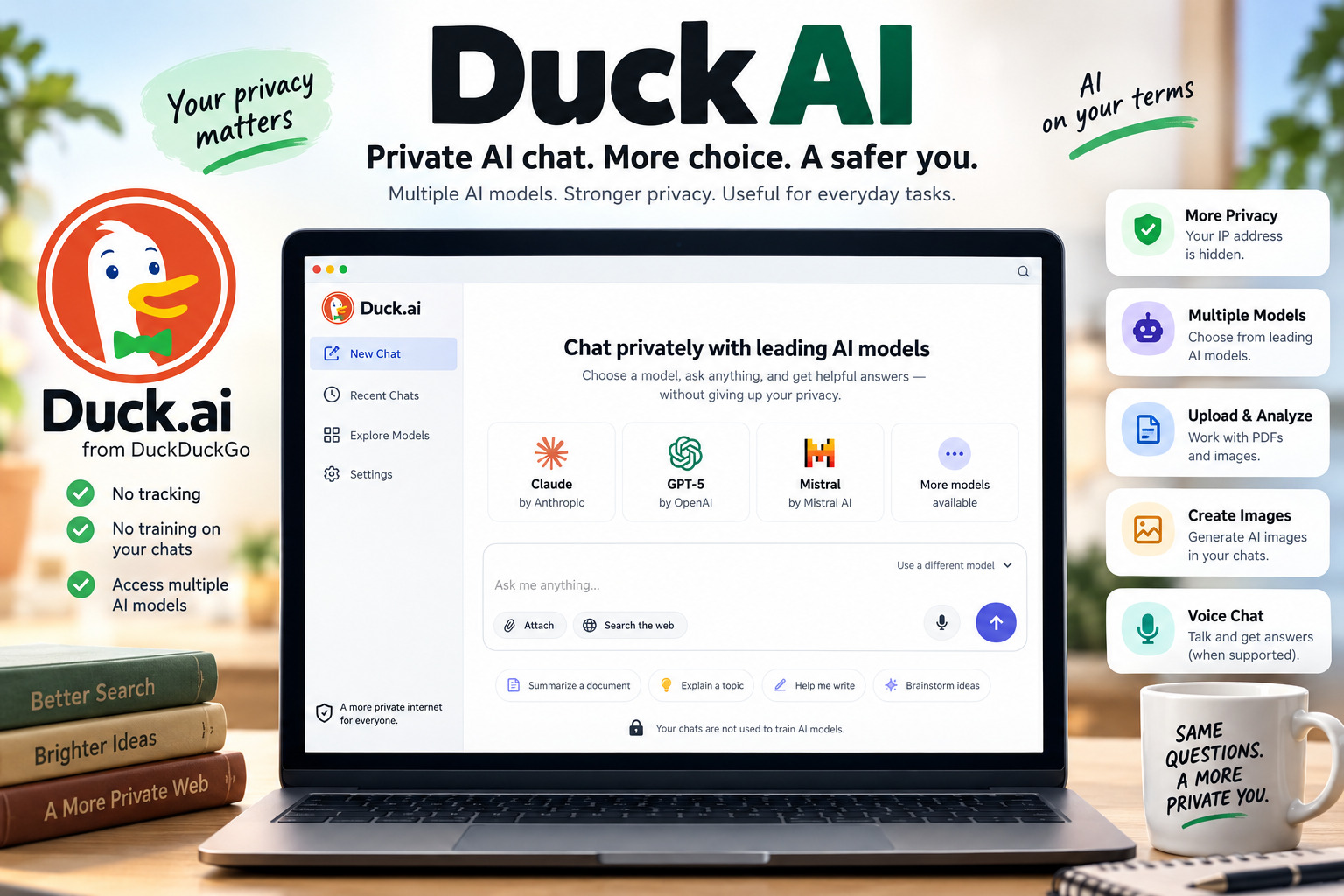
Duck AI: What Duck.ai Is, How It Works, Privacy, Models, and Features
Duck AI, officially called Duck.ai, is DuckDuckGo’s AI chat service designed to let people interact with several third-party artificial intelligence models while reducing the amount of personal information exposed to those model providers.
Instead of building its entire experience around one AI model, Duck.ai acts as a privacy-focused layer between the user and models from companies such as OpenAI, Anthropic, Mistral, and other providers.
That makes it particularly interesting for people who want to use generative AI but are concerned about giving another AI service their IP address, account identity, or long-term conversation history.
DuckDuckGo says Duck.ai anonymizes chats before sending requests to model providers and does not use users’ conversations to train AI models. The company also offers free access to several models, with additional models and higher usage limits available through paid plans.
This guide explains how Duck AI works, which features it offers, what its privacy protections actually mean, and where its limitations still matter.
What Is Duck AI?
Duck AI is an AI chatbot service created by DuckDuckGo, the company best known for its privacy-focused search engine.
The official product name is Duck.ai.
Rather than requiring users to visit different AI providers separately, Duck.ai provides access to multiple AI models through one interface.
According to DuckDuckGo, the service can be used for everyday tasks such as:
- Asking questions
- Drafting or rewriting text
- Summarizing information
- Brainstorming ideas
- Having general conversations
- Working with supported documents and images
- Generating images
- Using voice chat or dictation where supported
Duck.ai is therefore better understood as a private gateway to several AI models rather than as one independent DuckDuckGo language model.
Which AI Models Does Duck.ai Offer?
One of Duck.ai’s most useful characteristics is model choice.
As of September 2026, DuckDuckGo lists several models that people can access through the free version of Duck.ai, including models from OpenAI, Anthropic, Mistral, and models hosted through Tinfoil.
The exact model lineup can change, so users should check Duck.ai itself or DuckDuckGo’s current documentation rather than treating any model list as permanent.
DuckDuckGo currently lists free access to models including:
- Claude 4.5 Haiku
- Mistral Small 4
- GPT-5.4 nano
- GPT-5.4 mini
- gpt-oss-120b
- Gemma 4 31B
Paid DuckDuckGo subscriptions provide access to additional models. DuckDuckGo currently says Plus subscribers can use GPT-5.4 and Claude Sonnet 4.6, while Pro adds Claude Opus 4.8 along with higher reasoning effort and higher usage limits.
Because AI services change unusually quickly, think of this list as a September 2026 snapshot rather than a promise about what Duck.ai will offer indefinitely.
Why having several models matters
AI models do not always produce the same answer.
One may be better suited to concise writing, another may perform better on complicated instructions, and another may respond differently when brainstorming or summarizing.
Duck.ai lets users change models without moving between several separate websites and accounts.
That can be useful when you want to compare responses.
For example, if you are preparing an article outline, you could ask two available models the same question and compare:
- Which important subtopics they identify
- What assumptions they make
- Whether their answers contain unsupported claims
- Which explanation is easier to understand
The important part is still verification. Multiple AI models agreeing with one another does not automatically make their answer factual.
How Does Duck AI Protect Your Privacy?
Privacy is the main point separating Duck.ai from many conventional AI chat experiences.
DuckDuckGo says it removes metadata containing personal information, including a user’s IP address, before sending prompts to the underlying AI provider.
This means the provider receives requests through DuckDuckGo rather than receiving the user’s IP address directly.
DuckDuckGo also says its agreements with model providers prohibit them from using Duck.ai conversations to train their models.
Its current privacy documentation says model providers are generally required to delete prompts and responses after producing a response under zero-data-retention arrangements, although documented exceptions can apply to particular services or technical processes.
That last detail matters.
“Private” should not be interpreted as “nothing ever leaves your computer.”
Your prompt still has to reach an AI system for the model to answer it.
Duck.ai’s approach is to reduce the information connected with that request and place contractual and technical restrictions around how providers process it.
Does Duck AI Store Your Conversations?
Duck.ai can maintain recent conversations, but its handling of chat history differs from the familiar model of saving everything to a normal online account.
By default, DuckDuckGo says recent chats can be stored locally on your device.
Users can disable this history and delete individual conversations.
DuckDuckGo’s Fire Button can also delete applicable chat history.
There is also an optional Sync & Backup feature.
When this is enabled, DuckDuckGo says conversations are stored on its servers in end-to-end encrypted form. The master decryption key remains on the user’s devices, which means DuckDuckGo says it cannot read the stored conversations.
This is an important distinction:
Local history: conversations stay on the device.
Sync & Backup: encrypted conversations can be synchronized across devices.
Users who are especially privacy-conscious should review these settings instead of assuming every configuration behaves identically.
Does Duck AI Use Your Chats for AI Training?
According to DuckDuckGo’s current documentation, Duck.ai conversations are not used to train the underlying AI models.
DuckDuckGo says its agreements with participating model providers prohibit using Duck.ai conversations for model training.
This is one of Duck.ai’s clearest selling points for people who hesitate to place business ideas, unpublished writing, research notes, or ordinary personal questions into AI systems.
It still does not mean you should casually paste highly sensitive information into an AI chatbot.
A sensible rule remains:
If information would cause serious problems if exposed, avoid putting it into an AI prompt unless doing so is genuinely necessary and you fully understand the service’s data handling.
Privacy safeguards reduce risk. They do not magically turn an online AI service into an offline notebook.
Can You Use Duck AI Without an Account?
DuckDuckGo says its core AI features are designed to be available without requiring an account.
That keeps the experience relatively simple for someone who wants to ask a few questions without creating another profile, handing over an email address, and acquiring yet another password destined for humanity’s enormous forgotten-password graveyard.
DuckDuckGo describes both Duck.ai and its Search Assist feature as optional AI tools that can be used without an account.
Some subscription features naturally depend on having a paid subscription, but using the basic Duck.ai service does not require the same conventional identity-based account setup found on many platforms.
What Can You Do With Duck.ai?
Duck.ai has expanded beyond basic text conversations.
1. Ask questions
You can use it much like other conversational AI tools.
For example:
Explain the difference between machine learning and generative AI for a beginner.
You can then ask follow-up questions without starting a separate search for every part of the topic.
2. Draft and improve writing
Duck.ai can help produce:
- Email drafts
- Outlines
- Social media ideas
- Summaries
- Explanations
- Brainstorming notes
- Rewritten passages
As with any generative AI tool, factual statements in generated content should be checked before publication.
3. Summarize information
You can provide text and ask the model to turn it into shorter notes, key points, or a simpler explanation.
This can be useful when reading technical material, although an AI-generated summary should not replace the original source when exact wording or detail matters.
4. Upload PDFs and images
DuckDuckGo has expanded Duck.ai to support PDF uploads across most supported chat models.
Its product updates also state that supported Anthropic and OpenAI models can analyze images. Availability can depend on the chosen model and current usage limits.
This gives Duck.ai practical uses such as:
- Summarizing a document
- Asking questions about a PDF
- Explaining information shown in an image
- Extracting key ideas from supplied material
For important legal, financial, medical, academic, or contractual documents, however, verify the answer against the original document rather than trusting the AI’s interpretation alone.
5. Generate AI images
DuckDuckGo has also added image generation inside Duck.ai chats.
The company says image creation is available to all users within applicable daily limits, while subscribers receive higher limits. Duck.ai may temporarily switch models when an image-generation request requires another model.
6. Use voice chat and dictation
Duck.ai also supports voice-related features in supported browsers.
According to DuckDuckGo, voice chat sends microphone audio through an encrypted relay connection to the model provider. The company says audio is not retained by DuckDuckGo or the model provider after a voice session ends.
DuckDuckGo nevertheless points out an important limitation: a person’s voice can itself be a biometric identifier.
That is a useful example of why privacy claims deserve detail rather than a simple “private/not private” label.
Duck AI vs Traditional DuckDuckGo Search
Duck.ai and DuckDuckGo Search solve different problems.
Traditional search is useful when you want to find original web pages, compare sources, locate a company, check current information, or investigate a subject yourself.
Duck.ai is useful when you want a conversational response generated by an AI model.
For example, searching:
“how does solar energy storage work?”
might give you articles, government resources, videos, and company pages.
Asking Duck.ai the same question might give you a direct explanation that you can refine by asking:
“Explain that again for a 12-year-old.”
or:
“Now compare lithium-ion and flow batteries.”
Neither method completely replaces the other.
AI is convenient for synthesis and explanation. Search remains extremely valuable when provenance, current evidence, and direct source verification matter.
Is Duck AI Accurate?
Duck.ai should not be treated as automatically accurate simply because it has stronger privacy protections.
Privacy and factual reliability are different issues.
DuckDuckGo itself states that it does not filter or modify model responses and warns that responses can contain inaccurate information.
Like other large language models, the AI systems available through Duck.ai may:
- Misunderstand ambiguous questions
- Produce incorrect facts
- Present uncertain information confidently
- Miss recent developments
- Give incomplete answers
- Generate false references or details
For low-stakes brainstorming, that may be manageable.
For important decisions, verify significant claims against reliable primary sources.
A useful verification process
When Duck.ai gives you an important factual answer:
- Identify the statements that actually matter.
- Ask what evidence would confirm them.
- Find an original or authoritative source.
- Check dates because AI products change frequently.
- Compare the AI answer with the source.
- Correct or remove anything you cannot verify.
This takes slightly longer than blindly copying an answer, which is inconvenient only until the AI confidently invents something.
Important Duck AI Privacy Limitations
Duck.ai has meaningful privacy protections, but users should understand their boundaries.
Your prompt content still matters
DuckDuckGo removes identifying metadata before sending requests to providers, but information you intentionally write in the prompt can still become part of the request.
If you type your name, address, customer information, unpublished password, or another identifying detail directly into a conversation, anonymizing your IP address does not erase the information you voluntarily supplied in the text.
Shared conversations require care
Duck.ai allows people to create links for sharing conversations.
DuckDuckGo says shared chats are encrypted and that anyone who possesses the link can view the shared conversation. Shared links currently expire automatically after 30 days and can also be revoked.
Before sharing a conversation, check it for:
- Names
- Email addresses
- Business information
- Financial information
- Personal documents
- Confidential project details
The strongest encryption in the universe will not rescue information you deliberately send to the wrong person.
AI answers still come from third-party models
DuckDuckGo provides the privacy layer and interface, but the underlying responses are generated by outside models.
That means behavior, capabilities, context limits, and answer quality can vary depending on which model is selected.
Who Is Duck AI Best For?
Duck.ai may be worth considering if you:
- Want access to several AI models from one interface
- Care about reducing AI-related tracking
- Do not want to create another conventional AI account
- Want an AI tool for occasional writing and research assistance
- Prefer conversations not to be used for model training
- Want local or end-to-end encrypted chat-history options
- Already use DuckDuckGo’s privacy tools
It may be less suitable when you specifically need a feature available only in another AI platform or a deeply integrated professional workflow built around one provider.
The practical choice depends on the task, not merely which service has the longest feature list.
A Simple Checklist Before Using Duck AI
Before using Duck.ai for important work, ask yourself:
- Is the selected model suitable for this task?
- Am I including personal or confidential information unnecessarily?
- Does this answer contain facts I need to verify?
- Can I find a primary source for important claims?
- Do I understand where my chat history is stored?
- Am I comfortable with the current privacy settings?
- Does the task involve medical, financial, legal, or other high-stakes advice?
That final check is particularly important.
An AI chatbot can help explain information, but it should not automatically become the authority behind consequential decisions.
Duck AI Frequently Asked Questions
Is Duck AI the same as DuckDuckGo?
Duck.ai is an AI feature from DuckDuckGo. DuckDuckGo also operates its search engine, browser, privacy tools, and other services. Duck.ai is therefore one part of the wider DuckDuckGo product ecosystem.
Is Duck AI free?
DuckDuckGo currently provides several AI models through the free version of Duck.ai. Paid subscription tiers provide additional advanced models and higher limits.
Does Duck AI track users?
DuckDuckGo says Duck.ai removes personal metadata such as IP addresses before prompts are sent to underlying model providers and that chats are not used to train those models. Optional features such as Sync & Backup have separate storage behavior that users should understand.
Does Duck AI save chat history?
Duck.ai can store recent conversations locally on your device. Users can also enable Sync & Backup, which DuckDuckGo says stores conversations in end-to-end encrypted form so the company cannot read them.
Can Duck AI generate images?
Yes. DuckDuckGo’s current product updates state that Duck.ai supports image generation within chats, subject to usage limits.
Can Duck AI analyze PDFs?
DuckDuckGo says PDF uploading is now supported across most Duck.ai chat models, subject to applicable limitations.
Is Duck AI completely anonymous?
DuckDuckGo says identifying metadata such as IP addresses is removed before requests are sent to model providers. However, users can still disclose identifying information themselves inside a prompt, so sensible handling of personal and confidential information remains necessary.
Final Thoughts
Duck AI offers an interesting approach to generative AI: instead of asking users to choose between AI functionality and privacy, DuckDuckGo attempts to provide access to popular models while limiting how much identifying information reaches those providers.
Its biggest advantages are straightforward: access to multiple models, no conventional account requirement for basic use, privacy-focused handling of chats, local or encrypted conversation history options, document and image capabilities, and restrictions against using Duck.ai conversations for model training.
Those protections do not make AI infallible.
Duck.ai can still produce inaccurate answers, and users should still avoid unnecessarily sharing sensitive information. For research, professional publishing, or important decisions, the best workflow is to use AI as an assistant and verify meaningful claims through reliable primary sources.
For people who want AI assistance while placing greater emphasis on privacy, Duck.ai is a service worth understanding.
Sources Consulted
- DuckDuckGo Help: Duck.ai — official description of Duck.ai, available functionality, and model access.
- DuckDuckGo Help: How does Duck.ai protect my privacy? — information about anonymization, model-provider agreements, data retention, and training restrictions.
- DuckDuckGo Help: What AI chat models are available? — current free and subscription model availability.
- Duck.ai Privacy Policy and Terms of Service — chat storage, Sync & Backup, sharing, and privacy practices.
- DuckDuckGo Help: Is my Duck.ai chat history private? — local history and encrypted synchronization information.
- DuckDuckGo Product Updates — current PDF, image-analysis, image-generation, and synchronization features.
- DuckDuckGo Help: Voice Chat and Dictation Privacy — voice-processing and retention details.
Editorial Transparency Note
Claims requiring final verification before publication: AI model availability, free-versus-paid access, usage limits, and individual Duck.ai features can change quickly. These details were verified against DuckDuckGo’s current documentation in September 2026 and should be rechecked if the article is updated later.
Expert review recommended: No specialist review is necessary for this general technology explainer, but privacy or legal interpretations should be reviewed by an appropriately qualified professional if expanded into legal advice.
Methodology/AI disclosure: This article is based primarily on current official DuckDuckGo documentation. It does not claim that Aiera.blog personally tested Duck.ai. An AI-assistance disclosure may be added according to Aiera.blog’s editorial policy