What Is Ecosia AI? Features, Models & Privacy (2026)
What is Ecosia AI?
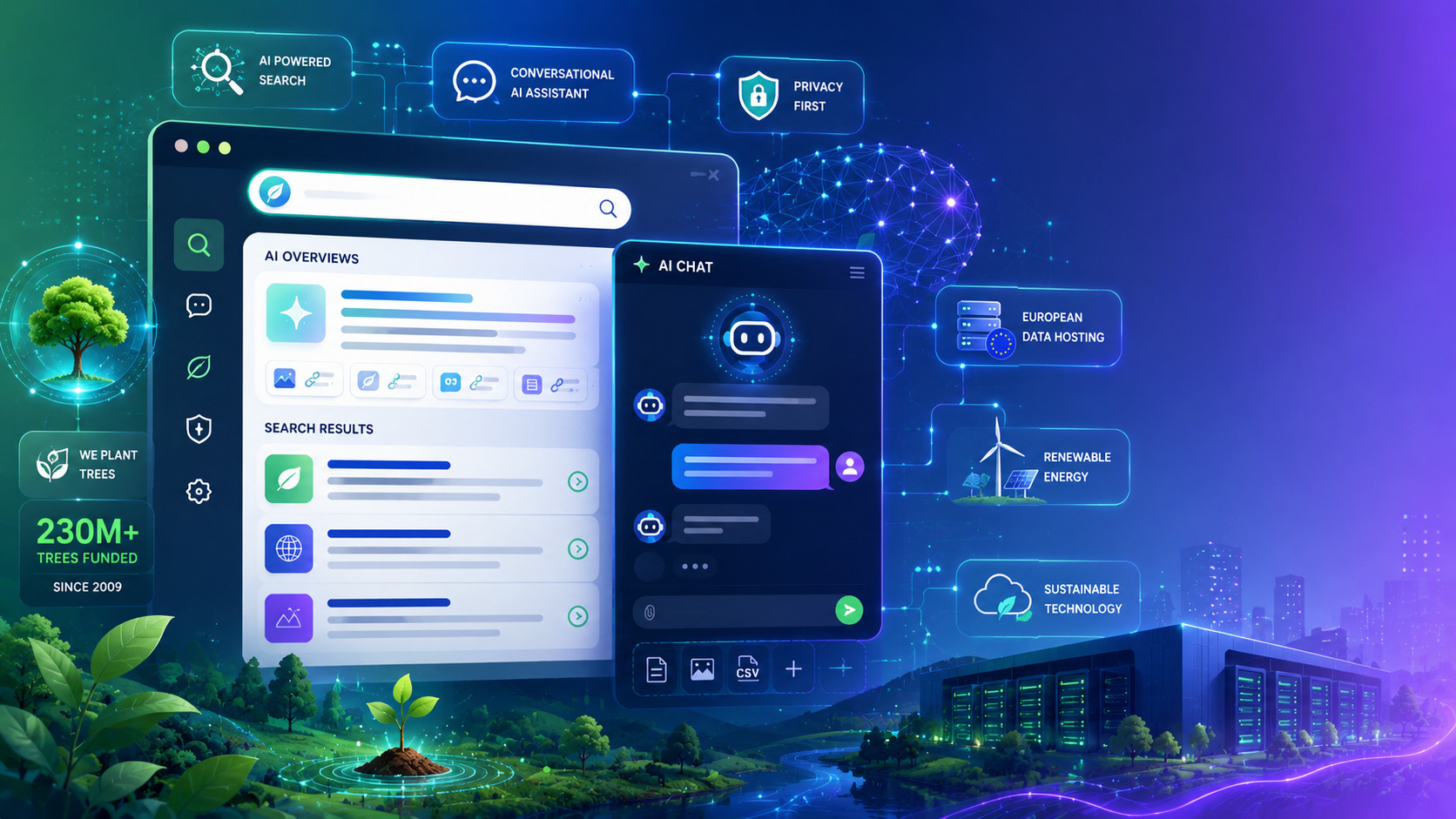
Ecosia AI is the set of generative AI tools built into Ecosia, the Berlin-based search engine known for planting trees. It brings together two features under one name: AI Overviews, which summarise your search results, and AI Chat, a conversational assistant. The two launched together on 2 December 2025. Ecosia is a not-for-profit that has funded well over 230 million trees since 2009 and puts effectively all of its profit into climate action. Ecosia AI is its attempt to answer a fair question: can a company built to protect the planet add AI without going against its own mission? This guide walks through the features, the models, and the privacy details so you can decide for yourself.
AI Chat vs AI Overviews: what’s the difference?
The two tools do different jobs, and it helps to keep them separate in your head.
AI Overviews appear at the top of a normal results page. They read the most relevant sources for your query, write a short summary, and link the pages they used above Ecosia’s usual blue links. You do not open anything extra — if Overviews are on, they show up inside your search.
AI Chat is a separate conversational assistant, similar in feel to tools like Claude’s AI chat or ChatGPT. It is opt-in: it only runs when you click into it. You can reach AI Chat from the Ecosia search bar, the top navigation, or straight from a results page. It is designed for the moments when a single link isn’t enough — planning a trip, comparing options, or exploring a topic step by step. Both features are available in the United States, along with the UK, Germany, France, Spain, and many other markets.
Which AI models power Ecosia AI?
This is where a lot of older articles get it wrong, so it is worth being precise. Ecosia did not train its own model from scratch — that would burn enormous amounts of energy and money. Instead it runs existing models that are small and efficient, which is the core of its environmental case: smaller models draw far less power and water than the giant flagship systems behind many mainstream assistants.
As of 2026, AI Chat runs on Mistral Small 4, a compact model from the French lab Mistral. AI Overviews run on Mistral Small 3.2, delivered through Staan, a European search index tied to the European Search Perspective (EUSP), according to Ecosia’s official Help Center. This is a real shift. Earlier in 2025, Ecosia’s chat ran on OpenAI’s GPT-4.1 mini, so the move to Mistral also moves Ecosia toward European-built models — part of its plan to become more independent and, eventually, host its own AI. If you read a review that still says Ecosia runs on GPT-4 or OpenAI, it is out of date.
Key features of Ecosia AI (and how to use them)
Getting started takes seconds. Open Ecosia in your browser, find the AI Chat tab or button near your search results, and accept the terms the first time you use it. From there you type in plain language — “plan a low-waste weekend” or “explain solid-state batteries simply” — and the assistant replies in a conversation you can keep building on.
A few features worth knowing:
- Green Answers: an optional mode that nudges replies toward more eco-friendly information and advice.
- File upload (now live): attach up to five files per conversation, each under 5 MB, in PDF, TXT, DOCX, CSV, XLSX, JPG, or PNG. Uploaded files are deleted within seven days.
- Chat history: optional and off unless you turn it on. You can save, delete, or export your conversations from the settings.
- Access anywhere: you can reach Ecosia AI through the website, the mobile app, and a browser extension, so it fits into how you already search rather than asking you to switch tools.
Signing in to an Ecosia account unlocks the fuller experience, including saved history and a more personalised chat. You can still use AI Chat signed out, but the experience is more limited.
Like any AI assistant, Ecosia AI can get things wrong. Treat its answers as a starting point and verify anything important before you rely on it.
Is Ecosia AI actually “green”?
Ecosia is unusually honest here, which is refreshing. It does not claim AI is free of environmental cost. Large language models use a lot of energy, and Ecosia openly admits that adding AI raised its emissions — by roughly 5% on its own estimate. Its argument is not “AI is clean,” but “AI can be done more responsibly, and the impact can be offset.”
That responsibility shows up in three choices. First, the small-model strategy: running compact Mistral models instead of the largest systems keeps energy and water use lower per query. Second, offsets: Ecosia says it invests in renewable energy — around €18 million in solar and wind — and generates more clean energy than its AI consumes. Third, its regenerative agriculture and reforestation work continues to absorb carbon in the background. None of this makes AI truly “zero impact,” and Ecosia doesn’t pretend otherwise. The fair verdict is that Ecosia AI is a lower-impact, more transparent option than most — not a magic green machine. For a values-led user, that honesty may matter as much as the tree count.
Privacy and how Ecosia handles your data
Privacy is one of Ecosia AI’s stronger selling points. The AI is opt-in, so nothing generative runs unless you actively use it. Ecosia emphasises European hosting and says it collects only what it needs, giving you control over how much you interact with AI.
Chat history is optional and stored securely, encrypted in transit and at rest. You can turn it off at any time — when you do, new chats stop being saved and previously saved ones are permanently deleted. You can also request a full copy of your conversations or ask for them to be deleted. One clear rule from Ecosia: its AI is not designed to handle sensitive data, so keep personal, financial, or confidential details out of your prompts. For balance, note that Ecosia does use analytics cookies, including Microsoft Clarity, and messaging tools like Braze, so “private” does not mean “no tracking at all.” Overall, though, the data controls are more user-friendly than most mainstream assistants offer.
Prefer no AI? Ecosia’s AI-free search
Not everyone wants AI in their search, and Ecosia built for that. On 2 July 2026 it launched AI-free search: a one-click way to switch off every AI feature — both AI Overviews and AI Chat — for a traditional results page. You turn it on under Profile, then Settings, then “AI-free searching.” It is a small feature that says a lot about Ecosia’s stance: AI is there if you want it and easy to remove if you don’t. Very few competitors offer this, and it is one of the clearest signs that Ecosia treats AI as optional rather than forced.
Ecosia AI vs ChatGPT, Gemini and Perplexity
Ecosia AI is not trying to out-muscle the biggest assistants on raw capability. It is offering a values-first alternative that is good enough for everyday questions. Google’s own AI Mode and AI Overviews, for example, are more powerful and deeply woven into Google Search, but they carry none of Ecosia’s sustainability or European-hosting focus. Here is a simple side-by-side.
| Feature | Ecosia AI | ChatGPT | Gemini | Perplexity |
|---|---|---|---|---|
| Core model | Mistral Small 4 | GPT-4-class | Gemini | Multi-model |
| Free to use | Yes | Yes (limited) | Yes | Yes (limited) |
| Built into search | Yes | No | Yes (Google) | Yes |
| Sustainability focus | Core mission | No | No | No |
| Data hosting | European | US | US | US |
| One-click AI off | Yes | N/A | Partial | N/A |
If you already lean on a big-name assistant for heavy work, Ecosia AI probably won’t replace it. But as a free, greener, more private option for daily searches, it earns a place on the shortlist.
What’s coming next
Ecosia has said more is on the way. Announced additions include persistent memory across conversations, a “learning” mode that breaks a topic down step by step instead of handing over a flat answer, voice-to-text input, and improved web sourcing with clearer citations. The direction is familiar — it mirrors features already seen in other assistants — but Ecosia is trying to deliver them on its own terms: lighter models, opt-in use, and European independence. It is worth checking back as these roll out, since they will change how capable the assistant feels.
Who should use Ecosia AI?
Ecosia AI suits a specific kind of user well. If sustainability, privacy, or European data hosting matter to you, it is one of the few mainstream options that treats all three as priorities rather than afterthoughts. It is a strong fit for everyday questions — quick explanations, planning, brainstorming, and light research — where you don’t need the deepest reasoning of a flagship model. It also suits anyone who feels uneasy about AI being forced into their search, since the one-click AI-free mode hands that choice back to you.
It is a weaker fit if you need heavy, specialist AI work — long coding sessions, advanced data analysis, or the very latest cutting-edge features. In those cases the largest assistants still lead. The realistic way to see Ecosia AI is as a capable, values-aligned companion for daily use, not a replacement for a power-user’s main tool.
Frequently asked questions
Is Ecosia AI free?
Yes. Ecosia AI is free and opt-in. Ecosia is ad-funded and not-for-profit, and puts effectively all of its profit into climate projects.
What model does Ecosia AI use?
As of 2026, AI Chat runs on Mistral Small 4 and AI Overviews run on Mistral Small 3.2, delivered via Staan (EUSP). It previously used OpenAI’s GPT-4.1 mini.
Is Ecosia AI really eco-friendly?
It is lower-impact and transparent rather than zero-impact. Ecosia admits AI raised its emissions by about 5% and offsets that with renewable energy and reforestation.
Can I turn off AI on Ecosia?
Yes. Since July 2026, one-click “AI-free search” under Profile then Settings disables both AI Overviews and AI Chat.
Is Ecosia AI private?
It is opt-in with European hosting and optional, deletable chat history. Ecosia advises against sharing sensitive data in prompts.
The bottom line
Ecosia AI is a credible, values-first way to use AI in search. It won’t out-perform the biggest assistants, but it is free, more private, European-hosted, and honest about its environmental cost — with a genuine one-click escape hatch if you’d rather skip AI entirely. For anyone who wants their everyday searches to do a little good, it is well worth a try. We’ll keep tracking Ecosia and the wider green-AI space here at aiera.blog as the roadmap features arrive.