What Is Computer Vision? How AI Sees the World in 2026
What is computer vision? It is the technology that lets a computer understand what it sees in a photo or a video, just as your eyes and brain help you understand the world around you. Computer vision powers face unlock on your phone, the way your photo app finds pictures of a dog, and the cameras that help cars stay in their lane. This guide explains what computer vision is in plain English, how it works, where it is used, and how you can start learning it in 2026.
At its simplest, computer vision is a field of artificial intelligence that teaches computers to see, recognise and understand images and video. A camera captures the picture, and a computer vision system analyses the pixels to work out what is in it: a person, a road sign, a tumour on a scan, or a faulty part on a factory line. It does not see in the way people do, but it can spot patterns in images faster and more consistently than a person can.
What Is Computer Vision in Simple Terms?
Think of how you recognise a friend in a crowd. You notice their face, their hair, the way they walk, and you put those clues together. Computer vision works in a similar way, but with numbers. A photo is made of millions of tiny dots called pixels, and a computer vision system learns which patterns of pixels usually mean a face, a cat, a car or a letter of the alphabet.
Modern computer vision uses deep learning, which we explain in our guide to what deep learning is. A neural network is trained on thousands or millions of labelled images, and it learns the features that matter at each layer, from simple edges to whole objects. To understand the wider field, read our guide to what machine learning is and how it works.
How Does Computer Vision Work?
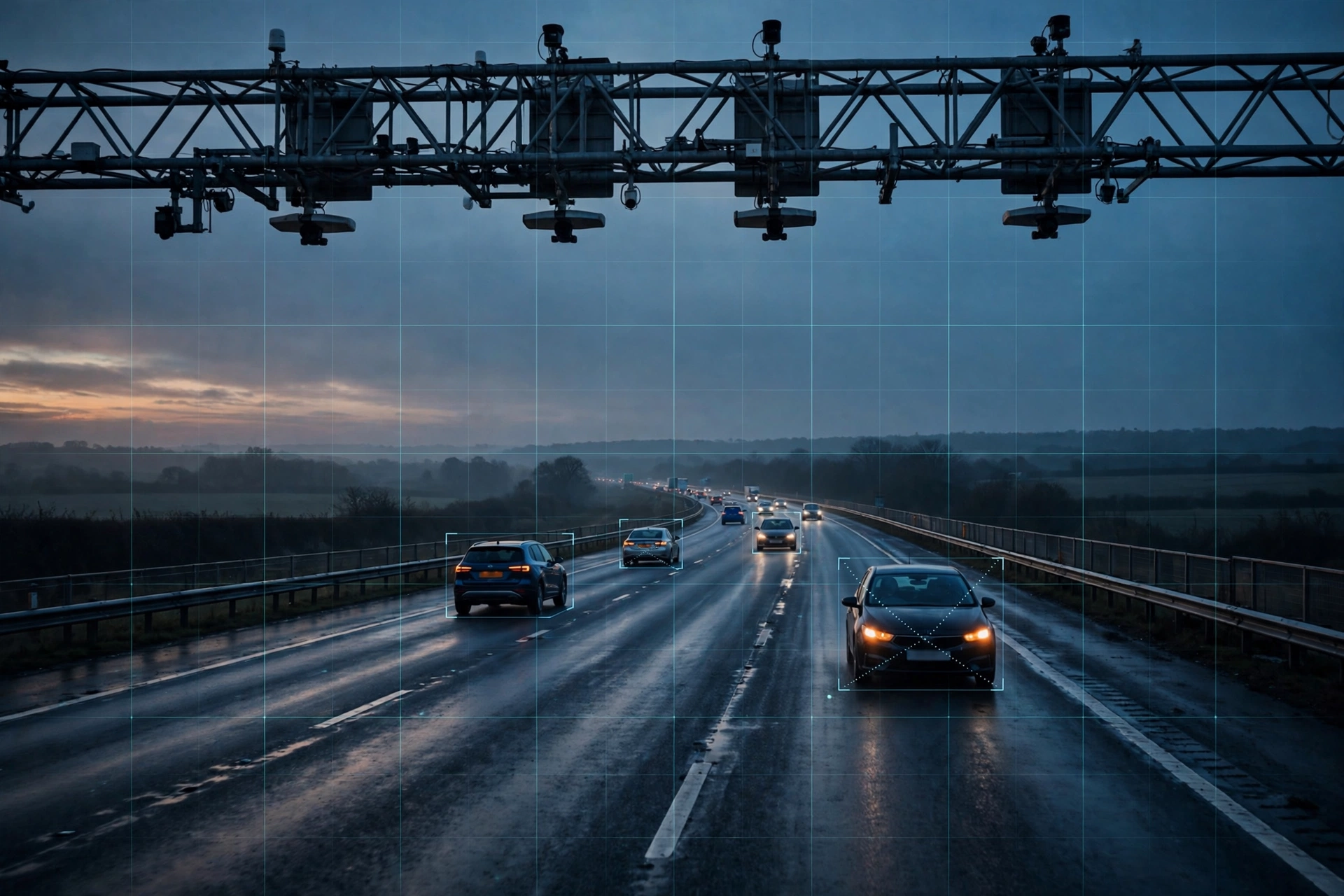
Computer vision usually follows four steps. First, an image or video is captured by a camera. Next, the image is prepared, which can mean making it clearer, resizing it, or removing noise. Then a model analyses the image and looks for features, such as edges, shapes, colours and textures. Finally, the system produces a result, such as a label, a box around an object, or a decision to act.
Different tasks need different methods. Image classification answers the question what is in this picture. Object detection finds where objects are in a picture and draws a box around each one. Image segmentation goes further and marks the exact shape of each object, pixel by pixel. If you are still asking what is computer vision, these three tasks are a good way to understand it: classify, locate and outline what a computer sees.
Where You Already Use Computer Vision Every Day
You use computer vision every day, often without noticing it. Your phone uses it to unlock with your face, to sort photos by person or place, and to improve pictures taken in low light. Social media apps use it to suggest tags and filters, and to check that uploaded images follow the rules. If you want to know more about AI in photos, read our guide to how an AI photo editor works.
Computer vision is also used in healthcare, where it helps doctors to spot patterns in scans and X-rays, as part of the changes described in our article on how AI is changing healthcare. Shops use it to track stock on shelves, farmers use it to check crops, and self driving cars use it to recognise road signs, other vehicles and people crossing the road. It is also used to read number plates, to check passports at airports, and to help robots pick up objects in a warehouse.
Computer Vision vs Human Vision: What Is the Difference?
Human vision is flexible and full of context. You can recognise a chair even if you have never seen that exact chair before, and you understand what a scene means. Computer vision is narrower. A model is very good at the task it was trained for, such as spotting a tumour or reading a number plate, but it can fail badly on a new kind of image, and it does not understand meaning in the way people do.
That is why computer vision systems need human checks for important decisions, and why they work best as helpers. A doctor may use computer vision to flag a scan for a second look, but the doctor makes the final decision. A driver may use a camera system to warn about a hazard, but the driver stays in control. For a look at systems that act on what they see, see our explainer on what AI agents are and how they work.
What Are the Benefits and Limits of Computer Vision?
Computer vision is useful because it can work quickly, all day, without getting tired, and it can spot small details that a person might miss. It can check every product on a factory line, read every page of a document, and watch a security camera for hours. It can also make life easier for people with low vision, by describing a scene or reading text aloud.
Its limits matter too. A system can be fooled by a strange angle, bad light or a new object it has never seen. It can learn biases from its training data, for example by recognising some faces less accurately than others. People who ask what is computer vision should also ask who checks its results, and how privacy is protected, because cameras collect images of real people, and that data must be handled with care.
How to Start Learning Computer Vision in 2026
Start with the basics of Python and machine learning, then learn how images are stored and processed, and how neural networks for images work. Try a small project first, such as teaching a model to tell cats from dogs, or to read handwritten numbers. Free introductory guides to computer vision from large technology companies explain the core ideas with examples, and many include code you can run yourself.
As you improve, learn about the main models used for images and video, and practise explaining what your model can and cannot do. Building a small portfolio, even with simple projects, will help you far more than reading theory alone, and it will show employers and clients that you can turn ideas into working systems.
Frequently Asked Questions About Computer Vision
Is computer vision the same as image recognition? Image recognition is one part of computer vision. Computer vision is the wider field, which also includes finding objects, tracking them in video, and understanding a whole scene.
Do I need a powerful computer to learn computer vision? Not to start. Many beginner courses run in a web browser, using free cloud computers. You only need your own powerful hardware for very large projects.
Will computer vision replace human eyes? No. It is a tool that helps people to see more, check more and work faster. Human judgement is still needed to decide what the results mean and what to do next.
What is computer vision, in short? It is AI that helps computers to see and understand images and video, and it is already part of daily life in the US, the UK and Australia. If you understand the basic ideas in this guide, you can use AI tools more wisely, ask better questions about them, and take the first steps towards learning this useful skill yourself.