What Is Vibe Coding? A Plain-English Guide to the AI Coding Trend
Key Takeaways
- Vibe coding means building software by describing what you want in plain language and letting an AI tool write the code, usually without reading the code it produces.
- The term was coined by AI researcher Andrej Karpathy in a post on 2 February 2025, and Collins Dictionary named it its Word of the Year for 2025.
- The basic loop is simple: describe, generate, run, refine. You judge the result by whether the app works when you try it, not by reading the code behind it.
- It is best for prototypes, weekend projects, personal tools and early versions of an idea. It is a poor fit for production systems, anything handling money or sensitive data, and anything where a bug could hurt people.
- The main risks are security flaws, hidden bugs, and code nobody understands when something breaks. A 2025 study found experienced developers were slower, not faster, when using AI help on real tasks.
- Vibe coding and AI-assisted programming are not the same thing. The difference is whether a human reads, tests and understands the code. That one distinction changes everything about risk.
The Short Answer
Vibe coding is building software by telling an AI what you want in ordinary language and letting it write the code. You describe the app, the AI generates it, you run it to see if it works, and you tell the AI what to change. You judge the result by how it behaves, not by reading the code behind it. In the original meaning of the term, you do not read the code at all.
That last part is the whole point, and it is also the part most people skip over. Vibe coding is not just using AI to help you write code. It is giving in to the vibes, as the person who coined the term put it, and forgetting that the code even exists. If an AI wrote every line but a developer read, tested and understood it, that is AI-assisted programming, not vibe coding. The distinction sounds pedantic, but it is the difference between a fun way to build a weekend project and a responsible way to build software other people depend on. This guide explains both, and keeps them separate.
Search interest in the idea is rising again. Google Trends data checked on 14 November 2026 showed the query define vibe coding up 400 percent over the previous seven days under the topic of AI coding, alongside a breakout in searches for Claude’s new coding models. That is a search signal, not a measure of how many people actually vibe code, but it tells you the question is on people’s minds: what is this thing, and should I try it?
Where the Term Came From
The term vibe coding comes from a single post. On 2 February 2025, Andrej Karpathy, a founding member of OpenAI and former head of AI at Tesla, posted on X about a new kind of coding. He wrote that there is a new kind of coding he calls vibe coding, where you fully give in to the vibes, embrace exponentials, and forget that the code even exists. He described his own workflow with disarming honesty: he talked to the AI by voice, accepted every change without reading the diffs, pasted error messages back in with no comment, and asked for random changes when a bug would not go away. He summed it up in a sentence that has been quoted ever since: I just see stuff, say stuff, run stuff, and copy paste stuff, and it mostly works.
Karpathy was using Cursor, the AI code editor, and he credited the shift to how capable large language models had become. He also gave the practice a scope that most later descriptions leave out. He was describing throwaway weekend projects, experiments where it did not matter much if the code was messy, because the project itself was disposable. That scope matters. The person who invented the term was not recommending it for the software that runs a bank or a hospital. He was describing a way to play with an idea quickly, and the fun of it was precisely that you did not have to care about the code.
The phrase spread fast. Merriam-Webster added vibe coding to its slang and trending list in March 2025. Later that year, Collins Dictionary named it its Word of the Year for 2025, citing the rise of AI-driven application building. Within a year, a throwaway post had become a dictionary entry, and a joke about forgetting code existed had become a recognised way of describing how software gets built.
The term then did what good terms do: it escaped its author. Today people use vibe coding loosely for almost any app built mainly by prompting an AI tool, whether or not anyone read the code. That loose use is understandable, but it blurs the line that makes the term useful. This guide uses the original meaning where it matters, and says so when the meaning has drifted.
How Vibe Coding Works in Practice
Strip away the hype and vibe coding is a loop with four steps. It is worth describing plainly, because the simplicity of the loop is the reason it appeals to people who have never written code.
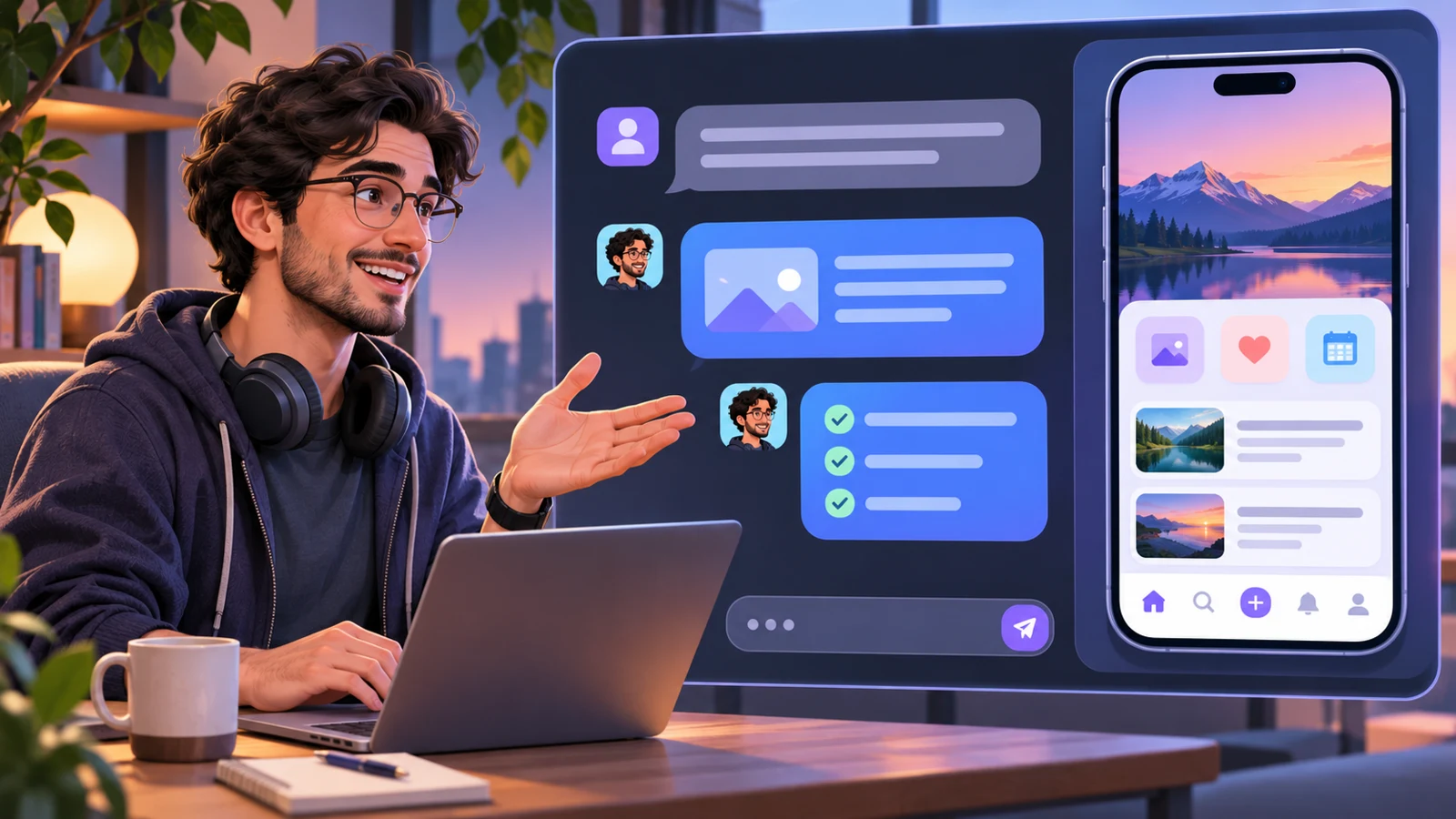
First, describe. You tell the AI what you want in plain language. A personal budget tracker with a chart. A landing page for a bakery. A quiz app for learning Spanish verbs. The more specific the description, the better the first attempt tends to be, but the whole point is that you do not need to know how to build it. You describe the outcome, not the method.
Second, generate. The AI writes the code. Depending on the tool, it may create files, install packages, set up a database, and wire everything together, or it may simply produce the code and leave the setup to you. Either way, the code appears without you writing it.
Third, run and test. You open the app and try it. Does the button work? Does the chart show the right numbers? Does the page look right on a phone? You judge the result by using it, the way a customer would, rather than by inspecting how it was built.
Fourth, refine. Whatever is wrong or missing, you describe it in plain language and the AI changes the code. Make the button bigger. Add a login page. Fix the error when I click save. Each round of feedback produces a new version, and you keep going until the app mostly works.
That is the whole method. There is no step in which you read the code, no step in which you design the architecture, and no step in which you write a test. In the strict sense of the term, there is not even a step in which you understand how the app works. You understand what it does, because you can see it and use it. You do not understand how it does it, because you have never looked.
That sounds reckless, and for some purposes it is. But it is also the reason vibe coding feels magical to people who try it. Someone with no programming experience can describe an idea on a Saturday morning and have a working app by lunch. That was not possible before large language models, and it is a genuine change in who can build software, not just in how fast it can be built.
Vibe Coding Versus AI-Assisted Programming
The confusion around vibe coding mostly comes from failing to separate it from its respectable cousin, AI-assisted programming. The two look similar from the outside, because in both cases a person types a description and an AI writes code. The difference is what the person does next.
In AI-assisted programming, the developer reads the code the AI writes, tests it, understands it, and takes responsibility for it. The AI is a fast typist and a helpful colleague, but the human remains the engineer. The developer might accept a suggestion, modify it, or reject it. The code that ships is code the developer could explain.
In vibe coding, the person does not read the code. The developer Simon Willison put the distinction plainly: when he talks about vibe coding, he means building software with a large language model without reviewing the code it writes. If the code was reviewed, tested and understood, it was not vibe coding, whatever tool was used.
Google Cloud draws a similar line, distinguishing exploratory vibe coding from responsible AI-assisted development, where a person reviews and understands the output. The first is a way to explore an idea. The second is a way to build software. Both have their place, but they are not the same place.
The distinction matters because it changes the risk completely. Code that nobody has read can contain a security hole nobody has noticed, a bug nobody can find, or a dependency nobody knows is there. Code that a developer has read and tested can still have all of those things, but at least someone is in a position to notice. Vibe coding removes that position. That is a fair trade for a weekend project. It is a bad trade for a system that holds customer data.
Most real projects sit somewhere between the two. A developer might vibe code a first version to see if an idea works, then read the code, clean it up and rebuild the fragile parts before showing it to anyone. A non-developer might vibe code a personal tool and then ask a developer friend to look it over before putting it online. Those hybrids are sensible, and they are probably how most vibe-coded projects that survive actually work. The honest way to describe them is as vibe coding followed by proper engineering, not as vibe coding alone.
The Tools People Use
There is no single vibe coding tool. There is a growing set of tools that make the describe, generate, run, refine loop easy, and they differ in how much they do for you.
Cursor is the editor Karpathy was using when he coined the term. It is a code editor with an AI assistant built in, and it lets you describe changes in plain language, accept them, and keep working. It is aimed at people who are comfortable in a code editor, even if they are not writing every line themselves.
Replit is a browser-based platform where you describe an app and the AI builds it, runs it and hosts it, all in one place. It is aimed squarely at people who do not want to set anything up. Its own guide describes vibe coding as describing what you want in plain language while an AI agent writes the code, and steering the work by trying what it builds and asking for changes.
Claude Code is Anthropic’s command-line tool for working with Claude on code. It is aimed at developers, and it has become one of the most talked-about tools in this space, not least because of the security questions around how it handles secrets and settings. Our report on Claude Code and the GitHub secret leaks covers one of those questions in detail, and it is worth reading before you hand a coding tool access to your accounts.
Other tools in the same space include Lovable and Bolt, which turn a description into a working web app in the browser, and GitHub Copilot, which suggests code as you type, and ChatGPT’s coding features, which can generate and explain code in a chat. The list changes quickly, and new tools appear every month. If you are weighing up which AI tools are worth paying for in the first place, our round-up of the best AI tools of 2026 is a useful starting point. The tool matters less than the workflow: if you are describing, generating, running and refining without reading the code, you are vibe coding, whatever the brand on the screen.
Choosing a tool is less important than understanding what the tool does with your code and your data. Some tools run your code on their servers. Some store your project in their cloud. Some ask for access to your code repositories. Those are reasonable things for a tool to do, but they are worth knowing before you paste in anything sensitive, and the privacy policy and the permissions screen are worth reading even when the coding itself feels effortless.
What Vibe Coding Is Good For
Vibe coding is genuinely good at some things, and it is worth saying so plainly rather than treating the whole practice as a mistake.
Prototypes are the clearest case. If you have an idea for an app and you want to see whether it feels right, vibe coding gets you a working version in hours rather than weeks. You can show it to people, watch them use it, and decide whether the idea is worth building properly. That is a valuable step, and it used to require either coding skill or money to hire someone who had it.
Personal tools are another good fit. A tracker for your own workouts, a dashboard for your own spending, a small tool that organises your own files: these are programs where you are the only user, the data is yours, and a bug is an annoyance rather than a disaster. Vibe coding is well suited to them, because the cost of failure is low and the benefit of having the tool at all is high.
Learning is a third use. Describing what you want and watching an AI build it can teach you how software is structured, what is possible, and what to ask for next. It is not a substitute for learning to program, and it can give a misleading impression of how easy the hard parts are, but as a way into the subject it has real value. Many people who start by vibe coding go on to learn enough to read the code they used to skip.
Weekend projects and experiments are the use Karpathy himself had in mind. A game for your children, a joke website for a friend’s birthday, a tool that does one small job for one evening: these are the cases where forgetting the code exists is a reasonable trade, because the code does not need to exist for long.
In each of these cases, the common thread is that the stakes are low, the audience is small, and the cost of starting over is acceptable. Vibe coding is at its best when a rough first version is better than no version at all.
The Limits and the Risks
The limits of vibe coding are not a matter of opinion. They have been measured, and the measurements are not flattering to the hype.
Start with speed. A 2025 study by METR found that experienced developers were 19 percent slower on real tasks while using AI assistance. That finding surprises people who assume AI always makes coding faster, but it makes sense when you think about it: reading, checking and fixing AI-written code takes time, and on a real codebase with real constraints, that time can exceed the time saved by generating the code in the first place. The study was about experienced developers using AI assistance on real tasks, not about beginners vibe coding a first prototype, so it does not prove vibe coding is slow for everyone. But it does puncture the simplest version of the sales pitch, which is that AI makes coding faster for everyone on every task.
Security is the more serious concern. Veracode’s 2026 GenAI Code Security Report, released on 28 July 2026, reported security failures in roughly 44 percent of evaluated code-generation tasks without security-specific guidance. That figure comes from Veracode’s own testing, and it describes code generated without security guidance, not all AI-written code. But it points to the central risk of vibe coding: code that nobody has read can contain vulnerabilities nobody has noticed, and the person who built the app has no way of knowing. A login page that does not check passwords properly, a form that lets an attacker run commands on the server, a database that exposes other users’ data: these are not exotic failures. They are the ordinary consequences of code written quickly and never reviewed.
There are documented cases behind the warnings. A widely reported Lovable vulnerability report from May 2025 showed how vibe-coded apps could expose user data. Research by Sarkar and Drosos, who analysed more than eight hours of recorded vibe coding sessions in 2025, found that even in those sessions, continued use of programming expertise and manual editing was common, which suggests that the pure form of vibe coding, where nobody ever touches the code, is rarer in practice than in the stories told about it.
The third risk is the hardest to see and the easiest to ignore: nobody understands the code. When a vibe-coded app breaks, there is no one who can explain why, because no one has read it. When it needs a new feature, the AI has to work from code it generated earlier, which may be tangled or inconsistent in ways that make each change harder than the last. When the app grows beyond a certain size, the person prompting it can lose track of what it does, and the app can develop behaviours nobody intended. This is sometimes called technical debt, but that phrase is too polite. It is building a house without ever looking at the foundations, and being surprised when the second floor leans.
There is also a practical limit on scale. Vibe coding works best on small, self-contained projects. A single-page app, a simple tool, a small game: these are within reach. A large system with many users, many features and many moving parts is a different matter. The AI can generate a lot of code quickly, but it cannot hold a large architecture in mind the way an experienced developer can, and the person prompting it cannot check what they cannot see. The result is often an app that works for the first few features and then becomes harder and harder to change.
Who Vibe Coding Suits, and Who It Does Not
The question of who should vibe code has a simpler answer than most guides give: it depends on what happens if the app fails.
It suits people with an idea they want to test quickly, and no coding experience. It suits people building something for themselves, where they are the only user and the only person affected by a bug. It suits developers who want a fast first draft of something they intend to read, clean up and rebuild properly. It suits anyone learning what software can do, and anyone who wants to find out whether an idea is worth pursuing before investing real time or money in it.
It does not suit anyone building software that other people depend on, at least not without a proper review stage. It does not suit anything that handles money, health data, or other people’s personal information. It does not suit anything in a regulated industry, anything where a security failure could harm users, or anything that needs to keep working reliably for a long time with many users. In those cases, the code must be read, tested and understood by someone who takes responsibility for it, and that is AI-assisted programming, not vibe coding.
There is a middle ground that is worth naming. A non-developer can vibe code a first version, show it to people, and then bring in a developer to review the code, fix the security problems and rebuild the fragile parts before it goes live. That is a sensible path, and it is probably the best use of vibe coding for anything that will have real users. The key is that the review happens before launch, not after a problem appears.
Age and experience matter less than attitude. The people who get into trouble with vibe coding are not the ones who know nothing about code. They are the ones who assume that because the app works when they click through it, it works properly. Testing by clicking is not testing. It shows that the happy path works. It does not show what happens when someone enters unexpected input, when two users do the same thing at once, or when an attacker tries something the builder never imagined.
A Sensible Way to Try It
If you want to try vibe coding, there is a sensible way to do it that keeps the fun and limits the risk. None of this requires coding experience, and all of it is worth doing even for a small project.
Start small. Pick one thing the app should do, and describe that before anything else. A budget tracker that records spending is a better first project than a budget tracker with accounts, charts, sharing and notifications. Each feature you add is another thing the AI can get wrong, and another thing you cannot check.
Use version control, or at least keep copies. If the tool supports it, save a copy of the working version before you ask for a change. That way, when a change breaks something, you can go back. Many vibe coding disasters are not caused by the first version being wrong but by the fifth version being worse than the fourth, with no way back.
Test like a sceptic, not like a fan. Try to break the app. Enter nonsense into every field. Click buttons in the wrong order. Open it on a phone. Ask a friend to try it without instructions and watch where they get stuck. The point is not to be negative but to find the problems before your users do.
Keep secrets out of it. Do not paste passwords, API keys or private data into a vibe coding tool, and do not let the AI store credentials in the code it writes. If the app needs to connect to a service, learn how that connection is supposed to work, or ask someone who knows, before you hand over the keys. Our report on Claude Code and GitHub secret leaks is a useful warning about what can go wrong when a coding tool gets access to secrets.
Do not put it online with real users until someone has looked at the code. That someone can be you, if you have learned enough to read it, or a developer you trust. The review does not need to be exhaustive for a small personal project, but for anything with other people’s data, it needs to be real. If you cannot find anyone to review it, that is a sign the project is not ready for real users.
Finally, keep learning. The best outcome of vibe coding is not the app you build but the understanding you gain. Read a little of the code, even if you do not understand all of it. Ask the AI to explain what it did. Over time, the parts that were mysterious become familiar, and you move from vibe coding towards AI-assisted programming, which is a stronger place to be.
Vibe Coding and the Future of Software
Vibe coding is easy to mock and easy to overhype, and both reactions miss what is actually happening. The mockery says that code nobody reads is not real software, and that the people doing it are not real developers. The hype says that programming is dead and anyone can build anything. Both are wrong, and the truth is more interesting.
What vibe coding really shows is that the barrier to building software has fallen. Describing what you want is now enough to get a working version of many things, and that changes who can participate in making software. It does not change the fact that software other people depend on needs to be correct, secure and maintainable, and it does not change the fact that those qualities require someone to understand the code. What it changes is the starting point. More people can start. Fewer of them need to finish alone.
The likely future is not a world without programmers but a world with more of them, doing different work. The routine parts of building an app, the boilerplate, the standard forms, the simple pages, are increasingly generated. The hard parts, the architecture, the security, the edge cases, the judgement about what to build and what not to, remain human work, and they may become more valuable rather than less, because more software means more software that needs to be understood.
For now, the sensible way to think about vibe coding is as a tool for starting, not for finishing. Start with a vibe, see if the idea works, and then do the work of making it real. That is not a failure of the method. It is the method used properly. The people who understand that distinction will get the most out of it, and they will also be the ones whose apps survive contact with real users.
What We Could Not Verify
- How many people actually vibe code, or how much software is built this way. We found search interest figures and dictionary recognition, but no reliable count of users or projects.
- Whether the 44 percent security failure figure from Veracode’s 2026 report applies to vibe coding specifically. The report covers code-generation tasks without security-specific guidance, which overlaps with vibe coding but is not identical to it.
- The details of the METR study beyond the headline finding that experienced developers were 19 percent slower on real tasks while using AI assistance. We relied on secondary reporting of the study, not on the study itself.
- Pricing and plan details for the tools named in this guide. Tools in this space change their pricing frequently, and we did not verify current prices at the time of writing.
- Whether any particular vibe coding tool is the best choice for a given project. That depends on the project, the user’s experience and the tool’s current state, none of which we could verify for individual readers.
Sources
- Andrej Karpathy, post on X, 2 February 2025, coining the term vibe coding
- Collins Dictionary, Word of the Year 2025, “vibe coding,” announced 6 November 2025
- Merriam-Webster, Slang and Trending list, March 2025
- Simon Willison, on the definition of vibe coding, 2025
- Replit, “What Is Vibe Coding? Meaning and How to Vibe Code”: https://replit.com/blog/what-is-vibe-coding
- Scrimba, “What Is Vibe Coding? A 2026 Guide for Developers”: https://scrimba.com/articles/what-is-vibe-coding/
- Park23, “What is vibe coding? A definition from the engineers who fix it”: https://www.park23.io/insights/what-is-vibe-coding/
- METR, study on AI assistance and developer speed, 2025, as reported in secondary coverage
- Veracode, 2026 GenAI Code Security Report, released 28 July 2026, as reported in secondary coverage
- Google Trends, rising queries for “define vibe coding,” data checked 14 November 2026