What Can You Achieve by Using DALL-E in the Edge Browser Copilot? The 2026 Answer
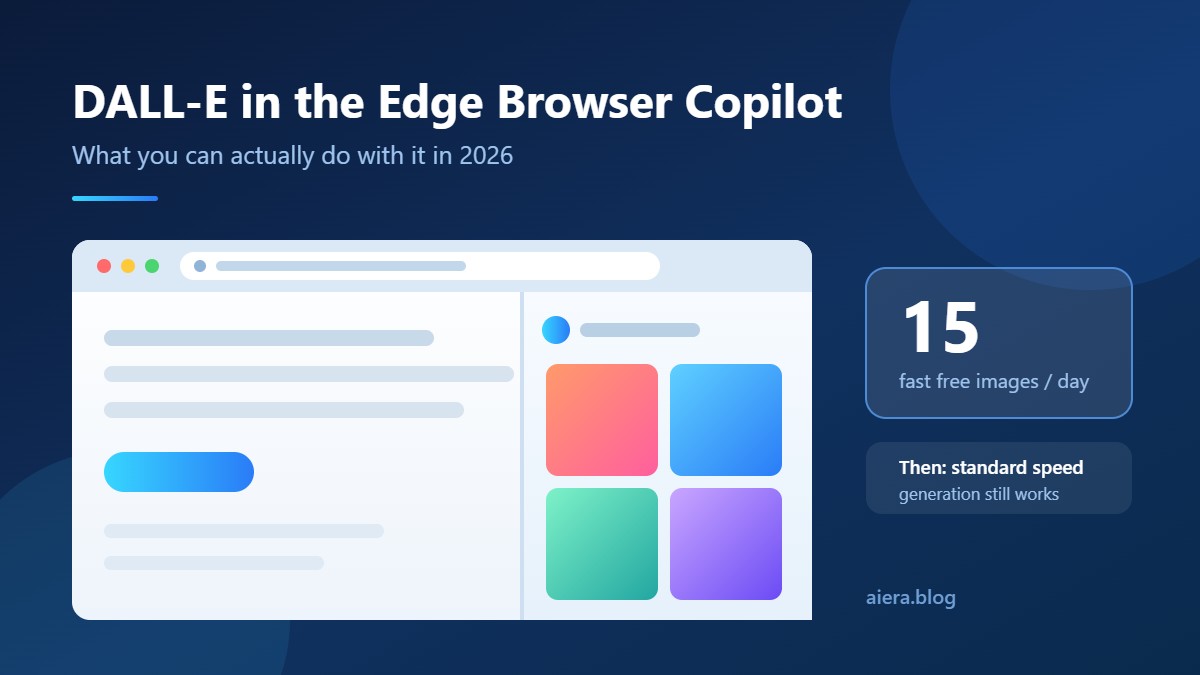
What can you achieve by using DALL-E in the Edge browser Copilot? You get some free image generation, but a limited number, and at a slower speed once your daily fast credits are gone. You do not get unlimited free images, you cannot alter images programmatically, and you cannot type in exact pixel dimensions. Microsoft gives every signed-in user 15 fast image creations per day. After that, generation still works, but it queues at standard speed.
This guide is for marketers, bloggers and small business owners who want free images inside their browser. DALL-E in the Edge Browser Copilot is the quickest way to get them with nothing to install. Skip it if you need API access or exact-size output.
Key Takeaways
- The correct answer: you get some free image generation but a limited number and at slower speed. Microsoft publishes the figure as 15 free fast image creations per day, plus up to 200 prompts per 24-hour period.
- “Boosts” are speed, not permission. Running out does not block you. It slows you down.
- DALL-E 3 is no longer the default. Bing Image Creator now offers DALL-E 3, GPT-4o and MAI-Image-2.5-Flash, and Microsoft says Image Creator is “100% in-house by default”.
- Copilot Pro is dead. Microsoft stopped selling it, and support ended 1 August 2026. Microsoft 365 Premium at $19.99/month replaced it.
- Upload an image and DALL-E 3 switches off. All editing of uploaded images runs on GPT-4o.
What DALL-E in the Edge Browser Copilot Actually Is
DALL-E 3 is OpenAI’s text-to-image model. Microsoft licenses it and serves it through Bing Image Creator, which is the same engine Copilot calls when you ask for a picture in the Edge sidebar. You are not running DALL-E directly. You are sending a prompt to Microsoft’s image service, which picks a model and returns four images.
A boost is one fast generation credit. Spend all 15 and the queue drops to standard speed. Nothing in DALL-E in the Edge Browser Copilot is locked.
This matters for the quiz-style version of the question. Of the four options usually listed — generate unlimited images for free, get some free image generation but a limited number and at slower speed, modify existing images programmatically, or alter image dimensions — only the second describes how the service actually behaves. The other three each fail on a specific, checkable detail rather than on wording.
| Claim | True? | Official detail |
|---|---|---|
| Generate unlimited images for free | No | Capped at ~200 prompts per 24 hours |
| Some free generation, limited number, slower speed | Yes | 15 fast creations/day, then standard speed |
| Modify existing images programmatically | No | No API or scripting in the Edge sidebar |
| Alter image dimensions | No | Fixed aspect ratio presets only |
Pricing and the Hidden Costs of DALL-E in the Edge Browser Copilot
DALL-E in the Edge Browser Copilot is free. Microsoft’s Bing Image Creator help page confirms it, and the official Bing Image Creator page lists it as “Free to use”. You need a Microsoft account. That is the entry cost.
The costs most articles miss when they write about DALL-E in the Edge Browser Copilot:
Time. Standard-speed generation is the real price. Microsoft states plainly that “standard creation is slower than the fast creation speed”. It does not publish how much slower, so nobody should quote you a number. If you need 40 images for a client, budget waiting time from image 16 onward.
Microsoft Rewards. You can redeem Rewards points for more fast creations. Microsoft does not publish the points-per-boost rate on its help page, so treat any specific figure you see elsewhere as unverified. Earning those points means using Bing for search.
Deletion. Generated images are kept up to 90 days. Uploaded images last 30 days. Images inside Copilot are kept 18 months. Download anything you care about the same day.
Subscription. Paying does not buy image speed on its own. Microsoft 365 Premium is $19.99/month, launched 1 October 2025, and includes “our highest usage limits for select features like 4o image generation”. At AI Era we read that as higher limits, not an unlimited pass.
Features of DALL-E in the Edge Browser Copilot, in Three Clusters
Generation. Text-to-image from a prompt, four results per prompt. Three models to choose from: DALL-E 3, GPT-4o and MAI-Image-2.5-Flash. In-image text rendering has improved sharply since the MAI models arrived.
Editing and framing. You can upload a photo and ask for changes in plain English, such as removing a background object. Aspect ratio presets cover 1:1, 7:4, 4:7, 3:2 and 2:3 for images, plus 9:16 and 16:9 for video. That is the closest thing to changing dimensions — presets, not numbers. Microsoft’s image generation support page covers the editing flow.
Browser integration. Copilot lives in the Edge sidebar, so you can generate an image while reading the page it is for. Image Creator remains a built-in sidebar app. Only user-added custom sidebar apps are being phased out, and Microsoft has not published a removal date for those.
One limit worth knowing: Microsoft warns that “each conversation with Copilot will have a limited number of interactions”. Long refinement sessions can end before your image does, so save good prompts in a text file and start fresh rather than fighting a stale thread.
How It Compares
| Tool | Free tier | Speed limit | Exact dimensions | API |
|---|---|---|---|---|
| Edge Copilot / Bing Image Creator | Yes | 15 fast/day, then slower | No | No |
| ChatGPT Free | Yes, small daily cap | Cap, then blocked | No | Via OpenAI API |
| Google Gemini | Yes, limited | Cap, then blocked | No | Via Google API |
| Canva Free | Limited credits | Credits, then blocked | Yes | No |
Verdict on each: Copilot wins on never hard-blocking you. ChatGPT wins on prompt understanding for complex scenes. Gemini wins on photo realism. Canva wins if you need a 1200×628 file and nothing else will do.
Who Should Use It, and Who Should Skip It
Use it if you:
- Blog, post on social, or build decks and need free images most days
- Already use Edge and want images without opening another tab
- Can live with preset shapes and crop afterwards
- Want to test prompts cheaply before paying for a design tool
Skip it if you (the honest cut-off):
- Need images at exact pixel sizes for ad platforms
- Want to script image generation into a workflow
- Deliver client work on tight deadlines where slow queues hurt
- Need commercial guarantees stronger than a consumer service offers
Versus the Two Main Rivals, by Job
Job: “I need a free image right now, in my browser.” Edge Copilot wins. ChatGPT’s free image cap blocks you outright when it runs out. Copilot just slows down. That difference matters more than model quality on a Tuesday afternoon.
Job: “I need this image to match a brief exactly.” ChatGPT wins. Its handling of long, detailed prompts and follow-up edits is stronger. If your first three attempts miss the brief, you have already lost more time than a subscription costs.
Job: “I need 200 product images this month.” Neither wins. Both are consumer tools. You want an API, which is exactly what DALL-E in the Edge browser Copilot does not offer. Microsoft does sell its newer image model through developer channels — MAI-Image-2.5-Pro is priced at $5 per 1M text input tokens, $8 per 1M image input tokens and $106 per 1M image output tokens — but none of that is reachable from the Edge sidebar. We cover similar credit-versus-usage maths in our 1min AI pricing breakdown and our Qwen AI cost guide.
Recent Changes and Expired Offers
This is where older articles are now wrong.
Copilot Pro is gone. Microsoft’s own Copilot Pro support page states it “is no longer available for purchase” and that support ended 1 August 2026. Any guide telling you to pay $20/month for Copilot Pro to get 100 daily boosts is describing a product you cannot buy. It was replaced by Microsoft 365 Premium, announced in the Microsoft 365 Premium launch post.
Microsoft moved away from DALL-E as the default. On 23 July 2026 Microsoft AI announced MAI-Image-2.5-Pro and MAI-Voice-2-Flash in public preview, and said Bing Image Creator is now “100% in-house by default”. DALL-E 3 is still selectable. It is no longer what you get automatically.
The honest negative: Microsoft’s own Copilot help pages have quietly stopped naming DALL-E at all. If you specifically want DALL-E 3 output, you now have to select it manually every time, and you lose that option the moment you upload an image to edit. For a feature marketed for years as “DALL-E in Edge”, that is a real downgrade in clarity. Our team at AI Era flagged this after Microsoft’s support pages dropped the model name.
How to Cancel or Downgrade
There is nothing to cancel for image generation itself — it is free and tied to your Microsoft account. If you are on a paid plan:
- Go to account.microsoft.com and open Services & subscriptions.
- Find Microsoft 365 Premium (or Personal/Family) and select Manage.
- Choose Cancel subscription, or Turn off recurring billing to keep access until the term ends.
- To downgrade instead, switch to Microsoft 365 Personal at renewal.
You keep free Image Creator access after cancelling. You lose the higher usage limits.
FAQ
Can you generate unlimited images for free with DALL-E in Edge Copilot? No. Microsoft caps usage at roughly 200 prompts per 24-hour period, with 15 of those running at fast speed. Beyond the fast credits you continue generating, but images queue at standard speed until the daily reset.
What happens when your boosts run out? Nothing breaks. Image Creator switches from fast to standard creation, which Microsoft confirms is slower. You can keep generating free images, wait for the daily reset, or redeem Microsoft Rewards points to restore fast speed.
Can you change image dimensions in Copilot? Not to exact pixel values. You choose from aspect ratio presets — 1:1, 7:4, 4:7, 3:2 and 2:3 for images, plus 9:16 and 16:9 for video. For a specific pixel size, crop or resize the downloaded file afterwards.
Can you edit existing images with DALL-E in Copilot? You can edit uploaded images, but not with DALL-E. Microsoft states that when you upload an image, DALL-E 3 and MAI-Image-2.5-Flash become unavailable, and all editing is handled by GPT-4o instead. Editing is conversational, not programmatic.
Is DALL-E still free in Microsoft Edge in 2026? Yes. Image Creator remains free with a Microsoft account, and DALL-E 3 is still one of three selectable models. Since July 2026 it is no longer the default, because Microsoft now serves its own MAI image models first.
Verdict
So, what can you achieve by using DALL-E in the Edge browser Copilot? Free images with a daily fast-speed limit, then slower free images. No unlimited generation, no scripting, no custom pixel sizes. It is the best free browser-based option for creators who value never being hard-blocked over having perfect control.
Next step: open Edge, sign in to DALL-E in the Edge Browser Copilot, generate your 15 fast images early in the day, and download them before the 90-day window closes.
About AI Era
AI Era (aiera.blog) reviews AI tools for creators, marketers and small businesses. We verify every price, limit and feature against the vendor’s own documentation before publishing, and we mark figures as unpublished rather than estimating them. This article was checked against Microsoft and Microsoft AI sources in August 2026. See more of our work on Crayo AI, Cosine AI, AI and the labour market, Future AI Hub and AI in film.